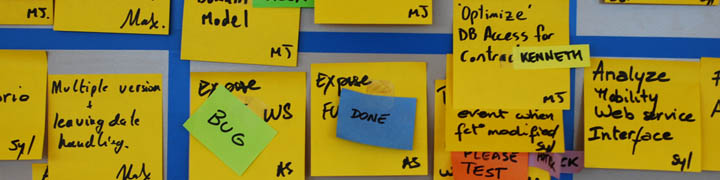
Elements of taskboard design
In this article I am compiling different elements or aspects of the way I build and use team task boards. Some ideas are old, some are original; some are materials related, some are processes; but the one thing they all have in common is that they have all been proved and tested with real live teams. When a new idea comes up, if it works (meaning a team likes it and uses it, or it saves time, or it is an obvious improvement) then I will publish it here.
The elements
**One day tasks**Keep tasks to maximum one day in size, to show daily progress and visualize flow.
Status tags
Use colored medium post-its to indicate temporary status of tasks.
**Only Three columns**Use only three columns (“Not Started”, “In Progress”, “Finished”)
**Unplanned Items and Legacy Issues**Use the first row of your board to put all tasks that do not belong to the sprint (but you’re doing anyways).
**Name tags**Use small post-its for nametags, to indicate what people are working on.
DONE status tag
Use this tag to indicate a task has been finished
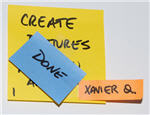
**Moving the DONE tasks during the daily Scrum**Move out DONE tags during the daily Scrum, to celebrate your achievements on a daily basis.
**Daily Scrum against the board**Team members do the standup meeting against the task board.
**Team pictures**Put pictures of team members on the board

**Thick black marker**Use a thick black marker to write on post-its to keep tasks readable and simple

Electrical tape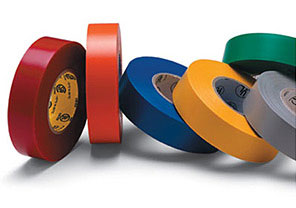
Use carefully laid out electrical tape to setup your board layout. Match the tape to the color of the team to give their board a clear identity (see Colored Teams).
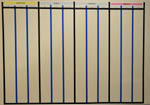
Board made with tape
Scotch Magic tape
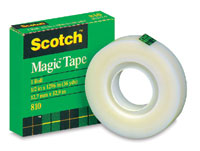
3M Scotch Magic tape (the one that comes in the green box) sticks and unsticks like no other, from post-its or boards, and leaves no markings.
Super sticky Post-ItsUse “Super Sticky” Post-It’s for tasks. They don’t fall off
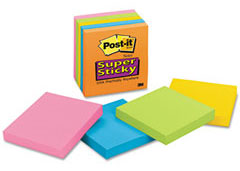
Non yellow Post-ItsUse colors other than yellow intelligently – for example to indicate a non-standard type of task.
PLEASE TEST / PLEASE VALIDATE status tagUse this tag to indicate a task is ready to be verified
BUG tagUse this tag to indicate a bug has been found in the task, instead of entering it into a bug tracking system.
**Colored teams**Give each team a different color as a way of distinguishing them.
**Scrum of Scrums board**Build a Scrum of Scrums board if you have more than one team, to visually consolidate project status
**Project Management team**In large projects, create a team for Project Managers, Product Owners and Coaches
Color backlogPrint your project backlog in color.
A3 backlogPrint your backlog in an A3 piece of paper. What’s good for Toyota is good for you
Nicely printed storiesPrint your stories automatically from your backlog
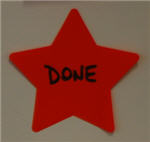
**DONE star tag**Use this star-shaped sticky note to indicate a story is done
CI unified status screenA Hudson add on that shows a consolidated view of your builds.
BLOCKED status tagUse this tag to indicate an impediment: a task is blocked and help from the ScrumMaster is required.
WAITING status tagUse this tag to indicate a task is on hold because you are waiting for something or someone.
DELEGATED tagUse this tag to indicate that a task has been delegated to someone from outside the team.
Printed task board signsPrint out all static signs on the taskboard and lay them out carefully. (not started, in progress, team name, parking lot, etc)
PLEASE ANALYZE tagUse this tag as a sign to the Product Owner that you need more information to finish a task.
Color burndown chartUse color in your burndown charts.
Metallic boardMake your task board on something that is metallic (such as a metal closet or a magnetic whiteboard).
**Team calendar**Use a simple printed blank calendar to help the team coordinate planned absences
Recent Comments