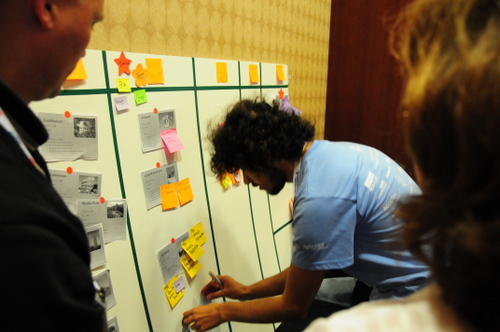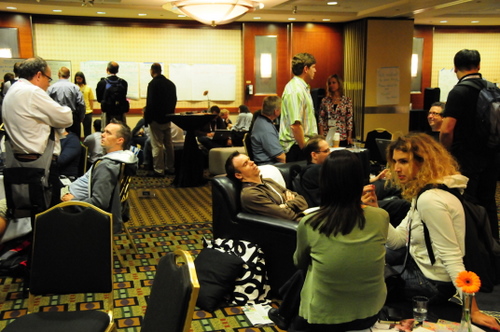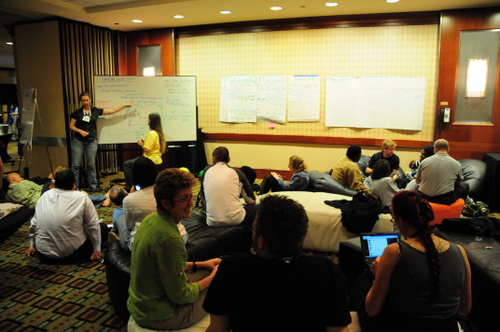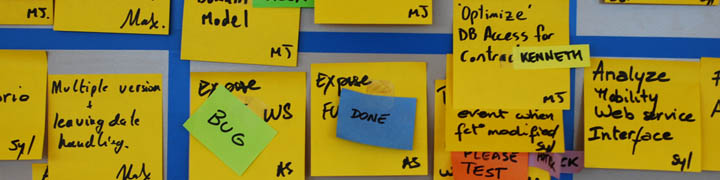

This is my recount of my session at Agile 2009 Chicago. It was titled “Visual Management for Agile Teams” and was part of the Manifesting Agility stage.
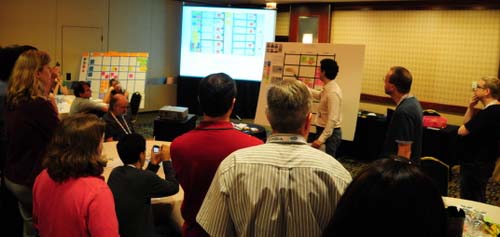
VMW Agile 2009

The session went well, around 36 people came and left 27 session reviews. Many people found value in the practical, down-to-earth approach of the workshop, leaving comments such as “excellent hands-on demo”, “extremely applicable information”, “finally something hands-on practical” and “very helpful”. Review averages were: Met expectations 4.4/5; Would recommend 4.3/5; Presentation skills 4.1/5; Command of topic 4.6/5; Matched description 4.4/5 and Overall 4.4/5.

I changed the format and structure of the session a little bit. First I gave a short presentation to introduce the topic. I was nervous and it showed… I’ll do better next time. We quickly moved on to starting the workshop itself. Each team was given a bag of office supplies and a blank taskboard. They set themselves up around a table.
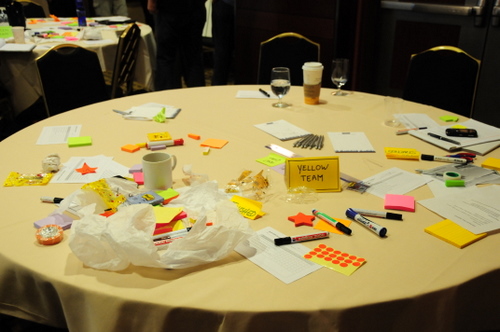
XQA_9475

The format of the workshop is simple: teams have to build taskboards, following some guidelines such as “the boards must show who is working on what”. The first round gave teams 20 minutes to figure out what they were going to do and how to implement it. Here is the red team getting busy:
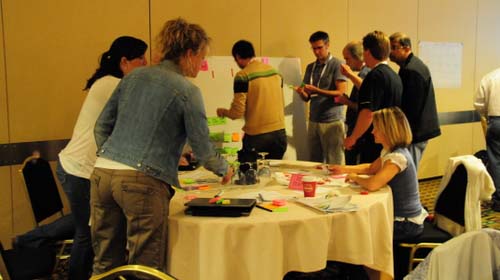
VMW 1

The blue team had a good idea: they did a rapid prototype on a paper on the wall, and only after that started building their taskboard.
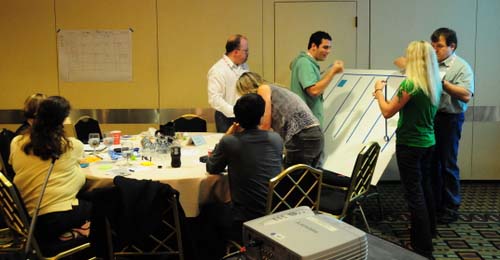
Visual Management Workshop at Agile 2009

More taskboard building:

XQA_9456

After a first round of taskboard building, people spread out to review other team’s boards.
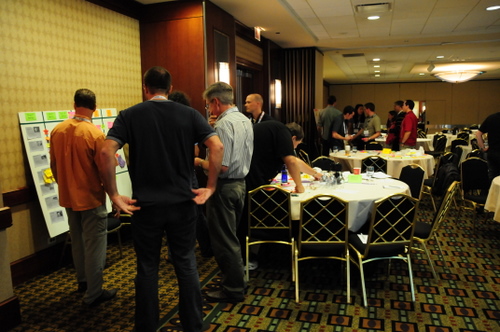
XQA_9479

Some stayed behind to present and defend their boards…
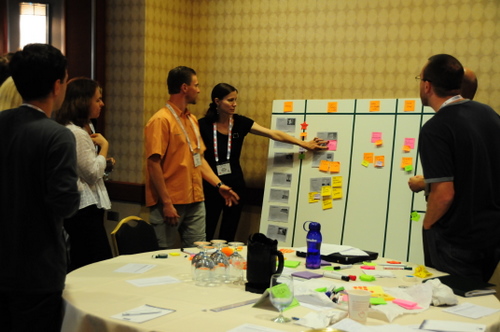
XQA_9467

Finally, we did another round of taskboard improvement with new requirements, and another review session. To close, I presented my own version of the taskboard that I had built the night before in the hotel room.
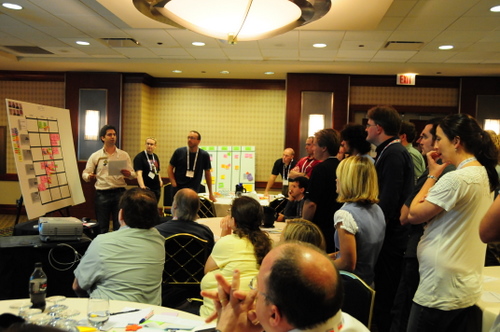
XQA_9508

Results

These are the final taskboards of all four participating teams, with comments.  Click through to see a larger version of each taskboard. My comments are meant to show how each team approached a certain problem, the idea is to point out to the reader the different ideas that emerged.

Blue team

XQA_9557

  • They found and put up some team pictures. They used them to assign a color to each member and used colors as nametags. The only problem with this is that with a larger team you will run out of colors.
  • They created an “URGENT” swimlane for expedited work. It is clearly distinguishable with a different color tape and a header. It is at the bottom, but they said during the workshop that if they would have had more time, they would have refactored their taskboard and put it at the top. Very good solution.
  • They used red stars to indicate all impediments. I’m not so sure I would use this, as stars connote something good to me. But you can certainly see impediments clearly.
  • They re-wrote their story cards in big blue post-it’s; other teams simply stuck up the printed stories.
  • They put columns for “QA” and “Done Today”.  In the QA column there is a single small yellow post-it that says “BUG”. No idea where the bug is though.
  • Each story has tasks of a different color. There does not seem to be any significance to this other than visually pointing out that tasks belong to different stories.

Red Team

XQA_9556

  • They put their project backlog on the leftmost column. From there, they can “pull” stories into the Sprint backlog. When an urgent story came in, they placed it on top.
  • They have a column “WIP Blocked” and next to it “WIP”. Another column is called “Done today”.
  • They have a calendar that shows at what moment during the week they have Planning, Retrospective and Release. This allows me to see that they do 1-week iterations.
  • They used different colored post-its to indicate different types of specialist work. This is a very good idea (where it makes sense). In the bottom right hand corner is the color legend.
  • They did not use the red electrical tape to make their swimlanes, instead opting to go for a blue masking tape. This makes it harder to identify them as the red team.

Yellow team

XQA_9559

  • I like how this team kept their board “clean”, in comparison with other teams. Also, they put the most effort into making sure their swimlanes were tidy.
  • They have only 3 columns, yellow post-its and few elements, keeping the board clean and uncluttered. It is much more relaxing to look at.
  • They used red stars as nametags. Each star has the name of a team member written on it.
  • They used small green post-its as “DONE” tags. They put their DONE tasks on the Complete column, so during the daily standup all they will do is remove the green tag I assume.
  • They move finished stories to the 3rd column together with all the tags. For some reason, they finished the least priority story first. They seem to be working on everything at the same time.
  • Pink post-its indicate a special situation is happening with that task.

Green team

XQA_9558

  • The first thing you notice is that this team opted for no horizontal swimlanes. This makes the board lighter and cleaner, but might cause confusion as to where tasks belong. To compensate, they gave each story different colored tasks as we saw the Blue team did before. This is an interesting design alternative to consider.
  • Another original idea is the use of Post-it flags as status indicators with a clear legend on the lower right hand corner. Some examples include “defect found”, “retest”, “urgent” and “blocked”. This is the first time I see it and I want to say that it is an interesting idea. The Post-it flags are unobtrusive and easy to detach. I will add Post-it flags to the Elements of Taskboard Design page.
  • They also have the Product backlog on the left-hand column and pull stories into their WIP backlog like the Red team.

Xavier’s board

XQA_9442

For completeness, here is my board. The only new thing if you follow my blog is that I decided to use pink post-its instead of yellow post-its for normal tasks, simply for effect. But I didn’t find any value in it and actually the pink color is too noisy. So I will definitively stick to yellow (there are economic reasons for using yellow for tasks too – yellow super stickies are cheaper)

Conclusions

I want to thank all participants for coming to my session. I think the session was a success, and each team left me with new ideas and lessons learned.

  • From the Blue Team, I learned I can create a priority swimlane which is visually clear.
  • From the Red Team, I learned to use colors to indicate the nature of work. This could be used to visually identify the need for more specialists for example.
  • From the Yellow Team, I learned the value of keeping it simple and clean. Overloading your board with elements and colors creates visual saturation and is tiresome to the sight.
  • From the Green Team, I learned to use Post-it flags as status tags. They are small, elegant and unobtrusive.

I also wish to thank the following friends who helped me out: Mark Levison for all the advice before and during the conference, Karl Scotland for helping me during the session and for motivating me, Dan Mezick, stage producer, who came to visit during the session and seemed to really care about the quality of his stage; Tobias Mayer for always supporting me; and above all my sweetheart Joke Vandemaele without whom I would not be able to do any of this.

Thanks to you all!

PS: If you missed this session and would like to attend, I will be doing a short version of it at the Agile Eastern European Conference in Kiev next week. Registration for the conference is still open!

agileee_banner_speaker_205x130_thumb

It will also be presented at Agiles 2009 in Florianópolis and at XP Days Benelux 2009. See you there!


3 comments

Michel Pasta's avatar
Michel Pasta on October 14, 2009 at 3:13 pm

I like the way you set the session. Demos is just the best way to understand the theory.
We will try in our company some ideas the teams got to help Visual Management.

Great post, Great session

jorge baez's avatar
jorge baez on October 22, 2009 at 2:56 pm

Great post, great session… I guess because wasn’t there ;(

Could you please post the requirements you set for the demo?

thanks!!

Florence Chabanois's avatar
Florence Chabanois on January 14, 2010 at 7:03 pm

What I like post is how you made your session raised new ideas about taskboards. Indeed, the Post-it flags are interesting and may explain why a task does not move on. This is great material for retrospectives.

The flagship conference of the Agile community has come and gone. I had a great time and I’d like to post a short account of my trip with some pictures. I will later follow up with a post specifically on my Visual Management session.

agile-logo

We arrived with Joke a couple of days early in order to visit the city before the conference. Chicago is an amazing city with an incredible skyline full of modern buildings. I especially love that red one!

XQA_9276

We got a room on the 30th floor with a great view. I particularly liked it by night.

XQA_9426

We walked to the Millenium Park near the hotel where they have this really cool “thing”

XQA_9237

Then we rented bicycles…

XQA_9246

and biked around the park area. This fountain is one of the most beautiful I have ever seen!

XQA_9259

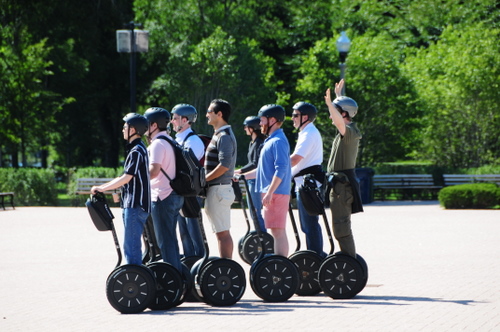
Apparently Segways are not as unpopular as one would think; especially with tourists.

XQA_9248

Segway invasion! They even have pink ones.

XQA_9254

We then went to the aquarium. Joke wanted to see and hear a Beluga whale while she’s pregnant. She got what she wanted. This guy kept coming out of the water and I caught him smiling at us:

XQA_9303

The Shedd Aquarium is really nice. I would recommend it even to people without kids.

XQA_9379

Watcha staring at? Never seen an ugly fish?

XQA_9392

Or a smart one? The legend says this guy knows TDD and refactoring…

XQA_9355

They have the oldest fish in captivity in the world. This guy was brought into the aquarium in 1933! It’s a lungfish, an ancient beast that actually has lungs asides from gills.

XQA_9382

But of course the cutest of them all are the little Nemos swimming in the coral reef:

XQA_9400

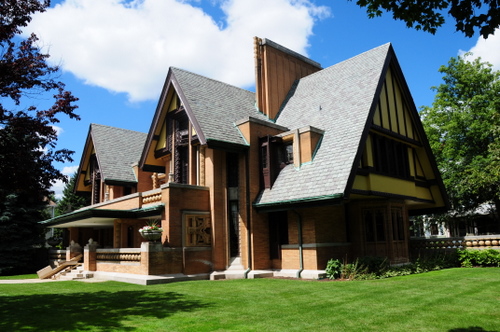
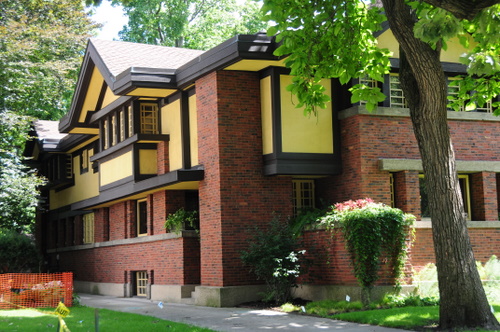
The next day we went to visit the work of reknown american architect Frank Lloyd Wright in Oak Park.

XQA_9421

And we did a tour in his old house and study. They didn’t allow pictures of the inside though :(

XQA_9416

Ok, enough about fish and architecture. On to the conference.

The conference

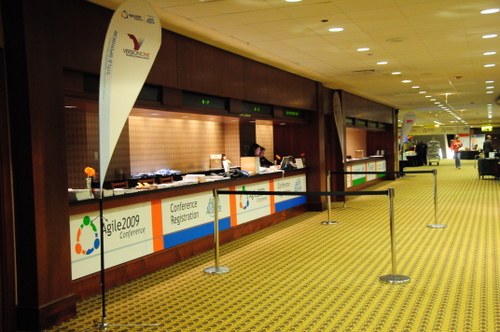
This was my second Agile 200x and my first time presenting. Considering the crisis this year, I think both the organizers and us (as in “the community”) did a pretty good job of keeping our flagship conference healthy. More than 1350 people passed by the registration desk in an orderly manner…

XQA_9540

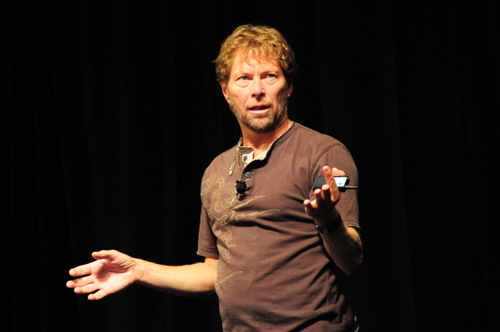
and enjoyed well delivered keynotes from Jared Spool and Alistair Cockburn

XQA_9437

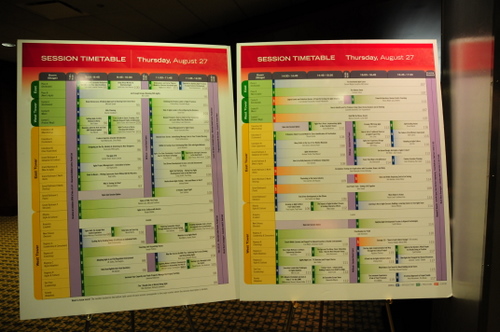
A couple of visual management good ideas. Every day the conference program was presented in these big panels (that I later used for my session :) )

XQA_9544

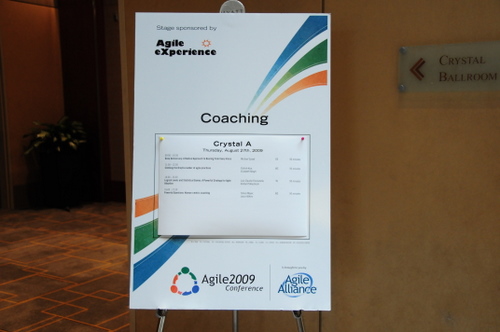
And individual rooms had a sign outside announcing the day’s sessions:

XQA_9532

The printed program was also much better organized than last year (it was actually usable!) and the badges were the same as last year, very readable and of the non-reversible type. They also had RFID as a novelty.

XQA_9551

Open jam was the place to hang out if you were into networking or just wanted to sleep. And even though it never works well in ths type of conference, there were still a couple of good open space sessions.

XQA_9569

What didn’t go well?

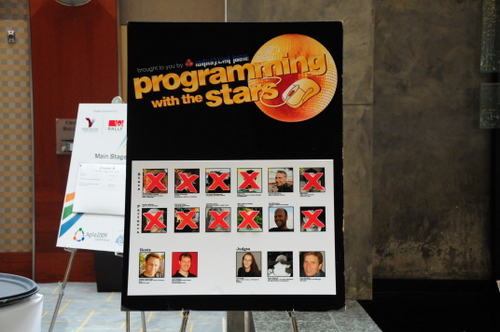
Well, the food was where the organization decided to cut corners in order to meet the budget, something I don’t approve of. And Programming with the Stars suffered from a lack of public, because of where the actual competition took place (extremely far from where the food was, compared to last year). Still, the sign was great!

XQA_9518

Gordon Pask Award

07/Sep/2009 Update: This section is new, the original post has been edited. I had expressed some pre-judgements regarding the award that I wish to retract. I have re-written this part of the post based on feedback and information I received and researched. Let’s keep the award and the community healthy.

This year the first Gordon Pask Award was given to somewhat less prominent figures of the agile community (compared to previous years). As JB Rainsberger, member of the award commitee explains: “We awarded the Pask to Simon and Gus […] as an attempt to live up better to the stated purpose of the award: to shine a light on those great practitioners in the field who have something special to share and need exposure to do exactly that.”

Congratulations to the “no compromise, no excuses” zealots Simon Baker and Gus Power from the UK! They sound like people with high quality standards, something I appreciate. You can read their reaction over winning the award in their blog.

The second award went to renown and groovy David Hussman, who BTW is coming to the Ágiles 2009 conference together with previous award winner Naresh Jain this fall. Congrats to David who certainly deserves it!

Let’s start betting on who gets it next year…

Agile Alliance Board

The big surprise of the conference for me was that Cesar Idrovo, with a spectacular political campaign, managed to get elected to the Agile Alliance board! Kudos to him and I hope he gets to do lots of good work there.  I will certainly be supporting and helping him (Cesar is also Latin American / European like me). Also congratulations to Henrik Kniberg for getting elected.

All in all it was another great conference. Almost as good as Toronto last year. I met and re-met lots of friends and community leaders from around the world. There were some great sessions, and I think everybody was generally satisfied with the event.

See you in Nashville next year!

4 comments

abby, the hacker chick blog's avatar
abby, the hacker chick blog on September 7, 2009 at 1:23 am

wow, nice pics! I’m jealous, I didn’t know about the Frank Lloyd Wright house, would have liked to see that. And yeah, weren’t the Segways kinda weird? At least the ones in your pix weren’t all wearing the matching bright, neon green vests that I saw in one tour group…. I almost took a picture but then I thought my gawking was bad enough.

J. B. Rainsberger's avatar
J. B. Rainsberger on September 7, 2009 at 6:16 pm

I would like to correct you on the points you made about the Pask award 2009. I really wish you had not decided to phrase your points as judgments, since you clearly did not have the necessary information to understand what happened. Few people did.

[Note: quote removed by editor]

We awarded the Pask to Simon and Gus, not as a polemic, but as an attempt to live up better to the stated purpose of the award: to shine a light on those great practitioners in the field who have something special to share and need exposure to do exactly that. Just as few people outside the UK know Simon and Gus as excellent practitioners, few people know the depth of what David Hussman knows about coaching, agile teams or otherwise.

We do not consider attending the conference a prerequisite for winning the Pask award. Also, we asked Simon and Gus to record their acceptance on video, but the union rules at the Hyatt Regency Downtown hotel meant that playing that video would have cost the conference hundreds of dollars, so we chose not to do that. Finally, I did not include their pictures in the banquet presentation slides, simply because I did not prepare well enough to do that. If I had prepared better, I wouldn’t have let the slide they showed misspell the Gordon Pask Award as “Gorden Pask Award”.

I hope this additional information helps you see that Simon and Gus intended no rudeness in how they accepted the award and that our awarding it to them was by no means polemic, but rather keeping more in the spirit of the award’s intent.

Xavier Quesada Allue's avatar
Xavier Quesada Allue on September 7, 2009 at 6:29 pm

Arggh.. I knew this was coming :) I’m sorry for being judgemental. I tried to tone down my comment as much as possible, but you have to understand that people like me were left dumbfounded. I think your comment goes a long way towards clarifying what happened. Thanks for posting it and congratulations to Simon and Gus for the award which I’m sure they deserve. Still, I hope they can make it next year to Nashville!

J. B. Rainsberger's avatar
J. B. Rainsberger on September 7, 2009 at 6:41 pm

I appreciate your position, Xavier. Anyone can google “Gordon Pask Award” and read about its intent, which should make it clearer why Simon and Gus won. Also, I thought I explained it adequately during my presentation when I mentioned that we’ve finally chosen people that even members of the selection committee don’t know. I don’t know how I could have made that more clear.

That said, Arlo Belshee and Sebastian Hermida are working with me to launch paskaward.org where we will put information about the award in one place and open up the nomination process more. We’re working on it.

The science behind Visual Management

Recently, Portia Tung was reviewing my session proposal on Visual Management (with Laurent Morisseau) to the XP Days Benelux 2009 conference. She commented that it would be nice if I could give some scientific background for all this Visual Management and taskboard stuff that I write about. Since half my family and many of my friends are scientists, this is a challenge too tempting to pass. The only thing I ask of Portia is to understand that this is not something I can put together in a couple of weeks! I will try to (slowly) start adding some scientific theory behind these writings.  Iteratively and incrementally, starting today.

By coincidence, last week my friend Ariel Aizemberg sent me a TED Talk video that is spot on the topic and makes a good starting point. This video is short (6 minutes), informative and entertaining. Even if you don’t care about science too much, you will surely enjoy the presentation style.

6 comments

Pingback from schlossBlog » #225 VisualPM: Hintergrund on August 12, 2009 at 11:18 am

W. David Stephenson's avatar
W. David Stephenson on August 16, 2009 at 4:38 pm

Wow! So glad to find your blog! It happened right when I was writing chapter on “Real-time management” for my “Democratizing Data to transform government, business and daily life” book. I place a heavy emphasis on visualization throughout the book, and am most interested — would love any references to case studies! — on how access to real-time data for entire workforces — not just managers — plus tools to interpret it can improve decision-making, empower workers, etc. Please feel free to email me @ D.StephensonATstephensonstrategiesDOTcom

PS: here’s the Slideshare of my talk several weeks ago @ the Tableau users conference: http://bit.ly/xg6fH

Simon Kirk's avatar
Simon Kirk on August 17, 2009 at 11:04 am

Hi Xavier. Dur, I can’t believe when we met at the coach’s gathering in the UK that I didn’t connect you and your blog. I hope I can make up for that by saying that I love this blog, and it’s great to see the connection to the science behind it here.

This has some important implications for me in Systems Thinking, the building of Mental Models in order to realise the system at hand and build dynamic tension to allow an organisation to effect change. Great stuff!

Adrian Eidelman's avatar
Adrian Eidelman on August 18, 2009 at 3:43 pm

Excelente post X!

Pingback from La ciencia trás la gestión visual | Aplicando Scrum on September 18, 2009 at 7:29 pm

Francie Van Wirkus's avatar
Francie Van Wirkus on January 28, 2014 at 6:09 pm

Great presentation! Thank you for breaking down the why behind why it works so well. And why it’s fun!

Scrum of Scrums detailIn Scrum, the “Scrum of Scrums” is a way to ensure alignment and coordination across different teams, or among different sub-teams of a large Team.

How big is the Team?

A Team is a group of people collaborating towards a common goal. Sometimes it’s not that easy to pick your goal, and thus figure out who the Team is, or who it should be. On one hand, small teams are good. Small is simple, small is beautiful.  So maybe you should pick a small goal, and make a small Team.

On the other hand, you should try to look at the system as a whole. This could mean anything: a project, a department, the whole company… What is the ultimate system, but the Organization itself? Your whole company is the Team, from the Systems Thinking perspective. Especially for small companies. So maybe you should think of a large Team.

Most likely, we need to strike a balance between these two dichotomic approaches.

I have found my comfort zone with a simple, practical definition: One Team, One Backlog.

Splitting it up

Banana SplitLet’s assume you found your definition of Team, and you have more than ten people in it.  Since the ideal team size is 5 to 9, you probably want to split them up. But you don’t want to lose the concept of  one Team. The recommended approach is to break them up into sub-teams. I will discuss some ideas for creating these sub-teams and for visualizing their work, while trying to keep and respect the spirit and vision of the one (big) Team.
Feature teams

Using the same logic regarding why it is interesting for team members to be as cross-functional as possible, the best strategy for making sub-teams is to create cross-functional feature teams, as opposed to ‘component’ teams or -god forbid- teams that specialize in a certain technology or skill (like  ‘QA team’ or ‘.Net team’).

Feature teams are teams that work on features, i.e. stories. Pieces of business value. They are value-driven teams, whereas other sub-team splitting strategies (component, skill, etc) create function-driven teams that invariably fail to deliver business value and create local optimizations and waste.

You create your feature teams by spreading out the knowledge, skills and experience equally. The goal is that any team can do any story in the backlog.  You should stress that the “real” Team is the big one. Sub-teams are just created for communication and coordination purposes. In my opinion, they should not develop too strong a team identity. For example, I would not measure sub-team velocity, and I would make sure people rotate from sub-team to sub-team a lot.

You can then work with a single, large backlog and distribute stories in round-robin fashion.

Colored teams

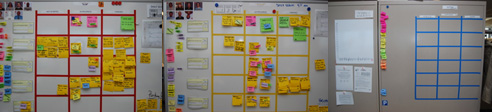
I like to give sub-teams a color for a name. E.g “Red team”, “Blue team”, etc.  Colors are very visual and we will be able to use this to our advantage. For example I use electric tape of the same color to create their taskboard, which gives them an immediate strong visual identity (see picture below). Another reason colors are good is that they are non-hierarchical, and people don’t attach themselves that much to a color.

colored_boards_small

The Black team

In large projects, particularly in transitioning organizations, there are always some people left floating around that are not doing any actual work at team/trenches level.  I put them in the Black team. This is a pseudo-management team that mostly combines the responsibilities of Product Owner and Scrum Master (in the same team, not the same person!) and any other role that you either want to share across teams or that you simply can’t get rid of.

Typical examples of people who we have put in the Black team include:

  • all the ex-Project Managers, who now had to remove impediments full-time (they also had a lot of administrative work to do: fake Gantt charts, fill in timesheets, useless reports, etc)
  • the Agile Coach
  • the Product Owner(s)
  • an Architect from Architecture (we later convinced him to move into the trenches with the real teams)
  • a QA Team Lead who didn’t want to test (we later got rid of him, once the testers he used to C&C were doing agile testing)
  • a Release Coordinator, whose job was to beg to Infrastructure to deploy our app into production (this was a full time job)
  • etc.

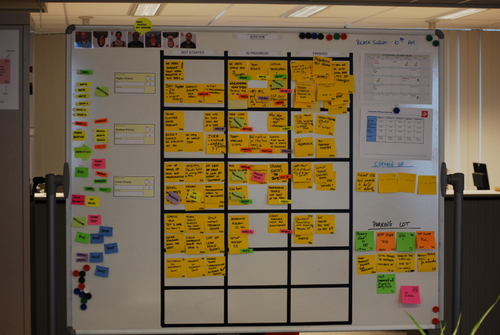
As you can see these were mostly roles that existed because we were doing Scrum within a traditional large organization. In any case, the idea is to group all these people into one “team” so as to not leave any loose ends. Ideally they will jell and work cooperatively, otherwise at least you can visualize their work by putting up a taskboard for them. For example on this picture below, most tasks are either impediments or things that have to be delegated to people outside of the Team. The horizontal lines are not stories but simply priority slots, i.e. High Priority, Medium and Low. If I would have known at the time, I would have put WIP limits, because nothing was ever getting done here. :D
Scrum Black Team

The Scrum of Scrums

Ok, let’s move on to the interesting part. Each sub-team has their scrumboard with the stories they have selected for the current Sprint, divided into tasks as usual. How do we visualize what is going on at Big Team level? How do we keep track of so much work? We need to change the level of granularity. In the Scrum of Scrums, you only visualize stories. You create the “Scrum of Scrums storyboard” where every story that is currently open is visualized, with the team that has it and the current status indicated. The picture below shows such a board at the beginning of a Sprint. Click on the picture for a larger version. Note: This is actually the same physical whiteboard as pictured above… you are just looking at the other side! The Scrum of Scrums side is pointing towards the hallway, so passer-bys can look at it.

Scrumboard Scrum of Scrums 1

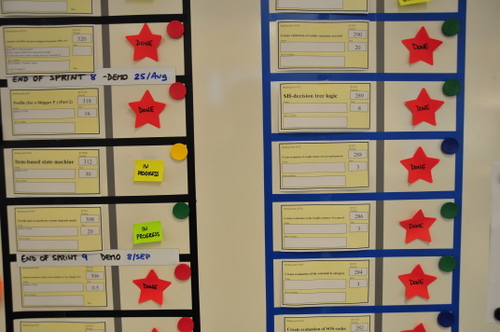
There are only two columns: “Story” and “Status”. Story has a copy of the story card that is on the team board. Status is normally “not started, “in progress”,  “done” or “done-done” (a curious distinction between “we think we’re done” and “we’re sure we’re done”). This last done-done was indicated with a red star. Each story has a little magnet indicating which team is working on it, but we also experimented with other visual elements like creating status tags of the color of the team. In this example you see both at the same time: a Green Team story will have a green “in progress” tag, and also a green magnet.

The mechanics for the Scrum of Scrums are simple: after the daily Scrums, each team sends a rotating delegate to give a brief status report on each of their open stories to the other delegates and the Product Owner. The delegate is then responsible for updating the rest of his sub-team members on what’s going on at project level (something that never happens, but oh well). Of course sometimes a lot more people show up during the Scrum of Scrums. Anybody who is interested in knowing what’s going on at Big Team level goes.

Note: The black and blue tape indicate nothing in this case, we simply didn’t have enough tape of the same color, and our boss was a fan of Club Brugge (whose colors are black & blue), so we made it for him.

This is how the board might look like towards the end of the Sprint, on a good Sprint where lots of stuff got done. (Click for large version)

Scrumboard_Scrum_of_Scrums_2_small

Note how you can quickly visualize different types of problems.

  • Several top priority stories are not getting finished. In particular the #1 top priority story.
  • The yellow team seems to be in trouble. I see 3 yellow “in progress” and only red star with yellow magnet. Also comparing yellow to green, red and blue you can see the difference.

If you looked at the large version of the picture, you probably noticed those white horizontal lines that say for example “End of Sprint 9 Demo: 8/Sep”. This is a visual way of indicating what was the scope taken for Sprint 9. The point here is that this was a Team that was not delivering all they started, and was dragging along open stories. Some stories were blocked, others underestimated, some teams had sick people… for whatever the reason work wasn’t getting finished, and since it was not possible to limit WIP for political reasons, we just let the teams take more work, keeping existing stories open. But with this board at least the situation was kept clearly visible and the Product Owner knew perfectly well what was going on.

A last picture with some comments, in a style similar to my original “Scrum Board with Comments” picture:

Scrumboard Scrum of Scrums with comments

11 comments

Pingback from schlossBlog » #219 VisualPM on August 4, 2009 at 12:34 pm

Kari's avatar
Kari on August 5, 2009 at 2:28 am

Wow, thanks for posting this. I’m always interested to see how teams organize their boards, and I happened to be researching some ways of making Scrum of Scrums more effective…

Tobias Mayer's avatar
Tobias Mayer on August 5, 2009 at 6:09 am

Noticed some Twitter comments…
http://twitter.com/#search?q=http%3A//bit.ly/sIe0M

Michael James's avatar
Michael James on November 6, 2009 at 5:30 am

The “black team” was a clever idea. I can see doing this just to keep those people out of everyone else’s hair. And even better if they have a backlog of impediments to resolve.

–mj

Pingback from Team Board v2.0 on November 7, 2010 at 7:25 pm

Pingback from Über Scrum vs Scrum of Scrums | Tim Bowler on May 12, 2011 at 2:27 pm

Pingback from Agile Thursday Quiz, Monday Answers: Scrum Of Scrums | Yves Hanoulle on November 28, 2011 at 6:36 pm

Pingback from The Corporate Release Board « Boink42 on November 4, 2012 at 1:57 pm

Pingback from » Big Visible Testing Full Length aclairefication on August 19, 2013 at 1:04 pm

We hear a lot of talk about commitment in Agile circles lately. But what is commitment? As it turns out, there are several meanings to the word. Leaving aside being committed to an asylum (which is where many of us will end if the methodology wars go on), the two dictionary definitions we care about are:

2a**:** an agreement or pledge to do something in the future
2c**:** the state or an instance of being obligated or emotionally impelled (source: Webster’s Dictionary online)

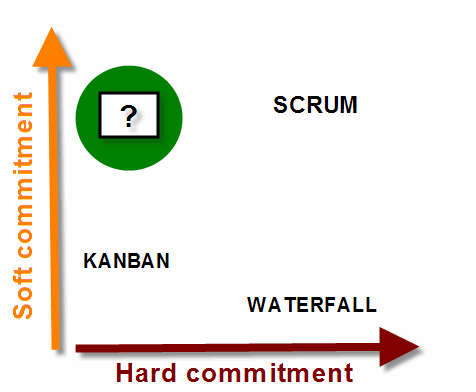
I would like to refer to these two as “hard commitment” and “soft commitment”.

A hard commitment is essentially a promise, as in: “I commit to finishing this report by the end of the week”

People without hard commitments work without deadlines. Their work is done when it is done. An example is scientists or people working in Google-style companies.

(Note: Don’t confuse “no deadlines” with low productivity: not having a deadline means nobody forces you to predict a delivery date or conform to a schedule, not that you can get by without actually doing anything)

A soft commitment, by contrast, is an expression of an emotional state, of caring:

“I am commited to this relationship”

and more to the point:

“I am committed to this team” or “I am committed to this project”.

People without soft commitment are people who “just want to get their work done and go home”, typically because they either don’t enjoy their work or they are demotivated or burned out.

What type of commitment do we care about in the Agile world?

As it turns out, we seem to care about both. And we don’t distinguish too much between them. But there is a big difference between the two.

Hard commitments are typical in command and control, plan driven environments and dysfunctional organizations. This is a world where deadlines abound, monitored and enforced by armies of Gantt-chart wielding project managers who love to micromanage. In these projects, hard commitments are everything; and they translate into unmissable deadlines that themselves translate into long working hours, unsustainable pace, cutting on quality and eventually large turnover and technical debt.

A defining characteristic of these environments is that there is generally punishment envisioned for not living up to your hard commitments. From not making your bonus, to being publicly chastised by your boss, all the way to being fired; failing to comply with hard commitments is taken very seriously in these organizations because deadlines are the heart and soul of plan-driven management processes. Missing deadlines, simply put, costs money. Lots of it. Money in change management overhead, and money in penalties over contractual obligations missed.

Soft commitments, on the other hand, abound in startup type organizations, small projects and any environment where people are happy, work as a team, take pride in their work and care about the result.

commitment_quadrants_2

Scrum: the all-commitment framework

Scrum is a framework that requires both soft and hard commitments from team members. The team is required to work as a team (for which soft commitment is required) and to commit to finishing a certain amount of work  in one Sprint. Now, I don’t like hard commitments. I associate them invariably with command and control thinking. It is all too common to force people into accepting a hard commitment, by insinuating that bad things will happen if we don’t make a deadline or simply by giving an order:  “make the deadline or you’re fired”.

But, in contrast to plan-driven processes, the difference is that in Scrum the hard commitment comes from within the team itself. It is not imposed from above. This is why many people see it as  a “healthy” hard commitment.

Scrum and hard commitment failure

Have you ever seen a Scrum team that does not make its sprint goal? Of course you have. In fact, failure to meet hard commitments in Scrum is so common, Jurgen Appelo blogged about it today.

Let’s now compare Scrum with with plan-driven processes. What happens in Scrum if a team does not make its commitment?

I can envision any or all of the following happening if a team does not deliver all it promised:

  • Nothing; since the Product Owner already knew they were behind schedule and adjusted her expectations a week ago.
  • They get slapped in the buttocks by the Product Owner, who says something along the lines of “Bad boys! Bad boys! Don’t do this again!”
  • The team feels bad about it. Someone might cry (yeah, right). They go into a retrospective to make sure it doesn’t happen again. Then they go for a beer.

See, in Scrum there is practically no external punishment for not delivering. Nobody will get fired. Nobody will lose their bonus. The only “punishment” is the team feeling more or less embarrassed because they overcommitted. This can hardly be seen as punishment when compared to a command-and-control organization.

Delivery in Scrum is governed by Systems Thinking. Essentially this means that if a team does not deliver all it promised, it is not the team that is at fault, because it is out of their control. It is the system that governs performance. (In this case, the system refers to the way work is chopped up and estimated and velocity is calculated.) “Not making it” only means that System capacity is lower than expected, or the system is unstable. The common solution is to reassess your expected Velocity to make it lower, and take less work next Sprint. And maybe to divide your work into smaller pieces. In any case, there can and should be no punishments dealt to the team.

So what is the value of making a hard commitment without punishment? What’s the point of committing to something, if everybody in the game knows that when we don’t keep the promise, nothing will happen?

Hard commitments in Scrum might, in practice, not be as ‘hard’ as they seem. Why try to make them look harder?

Kanban: the no-commitment framework

On the other side of the spectrum, we have the new Kanban ultra-lighweight framework. In Kanban there are no iterations and no hard commitments. You just limit Work In Progress and pull in work. Things are done when they are done, based on prioritization, cycle time and lead time. Proponents like to state that one of the benefits of Kanban is that it is a framework that (unlike Scrum) you can put in place in existing waterfall organizations without requiring disruptive change [1]. Kanban works along with the pre-existing method. For example, a tester just has test whatever he pulls into his plate and pass it along. No teamwork or commitment is initially required where it did not exist before. (Note to Kanban advocates: of course undoubtedly things will be better if there is a commited team; but the idea, if I understand correctly, is that Kanban will plug into the existing process, with or without a team).

Moving towards a “soft commitment only” framework

What would a framework in the upper left-hand quadrant look like? Soft commitment without hard commitment?

  • It would require healthy, self-organized teams.
  • It would require no deadlines, no “sprint goals”.

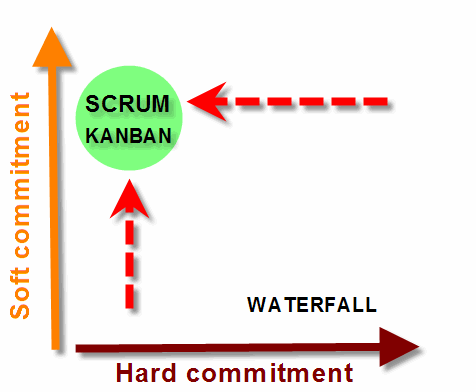
I believe both Scrum and Kanban can evolve in this direction.

For Kanban, it would probably mean adding the restriction that people have to work as a self-organized team. It becomes the responsibility of everyone to get work to fully done. This would maybe make Kanban less suitable for immediate implementation in waterfall organizations.

For Scrum, it would mean dropping the restriction that Teams have to “commit to delivering a certain amount of features during a Sprint” and going towards a more continuous flow paradigm. In this way, at Sprint Planning, teams would just pull the amount of stories they think they can do, but without explicitly committing to finishing them. They would do their best, and any unfinished stories would simply remain as top priority for the next Sprint. The Product Owner would monitor Velocity and progress during the Sprint, and adjust her expectations of what will be delivered accordingly. It is really just a simple change. Almost insignificant.

commitment_quadrants_3

But is anybody interested?

Many people who practice Scrum correctly will swear by hard commitments. I have raised this issue several times and have always been fiercely rebutted. These people, who defend hard commitments with energy, are divided in two camps:

Camp A, the “Transitioning organization” camp: this is the camp that has two faces. Inwards they do Scrum, outwards (towards their external customers, or towards Senior Management) they maintain a plan-driven façade. They are in transition, having implemented Scrum internally but failing (or not yet getting around to) selling it to external stakeholders.

The problem with this camp is that many times they cannot or do not shield the Team from the external stakeholders. They pass on the Sprint scope as a hard commitment to the outside world, creating pressure on the team. Still, they are trapped with the problem that they cannot punish the team if it fails to achieve. Scrum in such a situation is very difficult.

Camp B”: the “People are Lazy” camp: this camp believes that people are not intrinsically motivated to do their best, and need someone with a whip (even if it is an imaginary whip in the form of a deadline) to keep whipping them in order to work hard and do their best. They think that people are naturally lazy, and if we would have a world without clear goals or deadlines, nobody would get anything done. It is surprising the number of software developers who think this way even of themselves.

This is more difficult to challenge. I don’t agree with this camp mostly on philosophical grounds. Basically I do not believe that this is true of human nature. Maybe I am idealistic. Or maybe they are right, and it is true that most people hate their job and are not intrinsically motivated to do their best. Or maybe we have been living too long in a command and control culture. So long that we have forgotten that work is one of the fundamental human rights, and many people actually like to work.


[1] David J Anderson, “Kanban: applying principles and evolving process solutions”, Lean and Kanban 2009 conference

8 comments

Pingback from What does commit mean? | PHP Scribe on July 26, 2009 at 5:45 pm

Marta Padilla's avatar
Marta Padilla on July 27, 2009 at 9:18 am

Hi Xavier,

Very interesting entry.
I want to comment on the first difficulty that you mention when “removing” hard commitments:
– External “commitments” to stakeholders: I think this is very usual. We all know that when introducing SCRUM, everybody mentions the importance of “corporate culture” and “senior buy in”. And how difficult it is to have this, not only mention int. So this “not ideal” corporate culture is very related to this difficulty: Sometimes SCRUM is introduced, but still there are questions “floating around” in senior management circles. The way to avoid it? Make them trust “this whole SCRUM thing” will work by showing a plan with results on it. That is translated to a plan with fixed deadlines.
I guess that removing hard commitments in a team can be something that can evolve over time. Once senior managers start seeing results, they are most likely to trust the implementation of a “hard commitment free” team culture.

Marta

Xavier Quesada Allue's avatar
Xavier Quesada Allue on July 27, 2009 at 12:45 pm

Hi Marta, thanks for your comments. I think it’s fine (and realistic) that the Product Owner sometimes has to make hard commitments to Senior Management or external customers if they are not ready to go for a deadline-free way of working yet. I just think that they should shield it from the team.
Saludos,
Xavier

Kevin E. Schlabach's avatar
Kevin E. Schlabach on July 27, 2009 at 3:45 pm

Good post, quickly becoming a fan of your blog since finding it last week!

Benjamin Rosenbaum's avatar
Benjamin Rosenbaum on August 24, 2009 at 1:12 pm

I take umbrage at the notion that if I want a finish line rather than just wanting to run for the fun of it, this makes me a lazy bastard who is only motivated by force.

No, I am motivated by crossing the finish line.

To be excited about calling your shot and nailing it — estimating well, and then delivering within that estimate — it is not necessary that you be punished for failing.

That is the answer to “So what is the value of making a hard commitment without punishment?”

The answer to “What’s the point of committing to something, if everybody in the game knows that when we don’t keep the promise, nothing will happen?” is that it is not the case that “nothing” will happen. That is, there are not only the two options “punishment” and “nothing”. The third option is “learning”.

That is, if soft commitment is present and command-and-control is absent, that does not mean you don’t make promises. It means you make intrinsically motivated promises rather than extrnisincally motivated ones. The response to failing to keep an extrinsically motivated promise is fear of punishment; the response to failing to keep an intrinsically motivated promise is an eagerness to learn what went wrong, and how we can nail it next time.

Xavier Quesada Allue's avatar
Xavier Quesada Allue on August 24, 2009 at 1:40 pm

Thanks Ben. You give me food for thought.

Pingback from Hard commitment, soft commitment | Enric Durany Blog on September 3, 2015 at 12:16 am

Pingback from Níveis de comprometimento no Scrum e no Kanban | Café Agile on September 22, 2015 at 9:26 pm

In Visual Management for Agile Teams, I discussed the importance of usability and good design when building our taskboards. Today I want to focus on how we write our tasks, and try to make a case for increased readability.

Readability

Readability is defined as “how easy it is to read something”. There are two meanings, as in “a readable handwriting” and “a readable book”. In this case we will focus on the first definition as it applies to answering the following question: how easy is it to read the tasks on our taskboard?

thick_black_marker_500

Readability will always be somewhat subjective: what could be perfectly readable for me, could be unintelligible for you. But let’s try to agree on a general readability acceptance criteria. I propose the following:

Tasks should be easily readable and understandable by a person with normal sight from a distance of around two meters.

Why two meters? Because it is a reasonable (maximum) distance from the board you can expect people to be standing at during the daily standup meeting, and when passing by.

In order to achieve this, we have to comply with two simple guidelines:

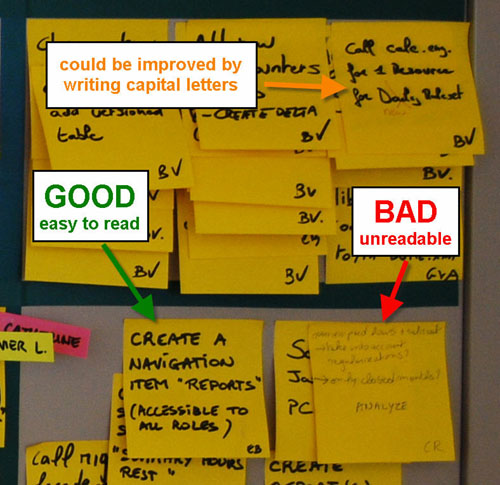
  1. Small amount of text: tasks should have no more than 10 words, as a rule of thumb.

  2. If handwritten, text should be written in big, bold, capital letters.

Avoid documenting

Tasks should have no more than 10 words because fitting more text into a 3×3 inch (76×76 mm) standard Post-It forces you to write too small, and we want to avoid that. But there is also another reason. You shouldn’t need to write a lot of text if you understood the nature of tasks and how to use them in your process. Tasks are meant to be pointers to the work that has to be done. Reminders. Not a full analysis or description of what has to be done. The goal of a task is to represent a unit of work. The details of the work should be in the person’s head, having been discovered and defined by having conversations with the other team members. We should avoid documenting tasks on the post-its as much as possible. We should also avoid using sticky notes as “documentation hand-offs” between team members.

The reason for using bold letters is to increase readability of the text. Bold is required because of the distance we want to read from, and the size of the font we want to write in. Writing 10 words on a standard post-it in ballpoint pen in a text size that fills the post-it would result in a font that is too lightweight and disproportioned. Most likely what will happen is that people will write the 10 words in a very small font, thus rendering it illegible from the required distance.

The reason for writing in all capital letters is that lots of people have bad handwriting, or write in cursive when not writing capital letters. This makes a task difficult to read even if it complies with the 10-word rule and is written in big bold letters. We are not trying to learn to decipher your doctor’s handwriting here, thank you. See above example in orange.

Readability creates transparency and trust

Readability of tasks is cornerstone to generating and sustaining the feeling of transparency and trust that taskboards have the potential to transmit. To achieve this, the taskboard has to invite to be read. Avoid the following readability anti-patterns:

  • Difficult to read handwriting
  • Small text
  • Text written in ballpoint pen or pencil
  • Text written with colored markers.
  • Text written with whiteboard marker or dried up markers.

Read it from your desk

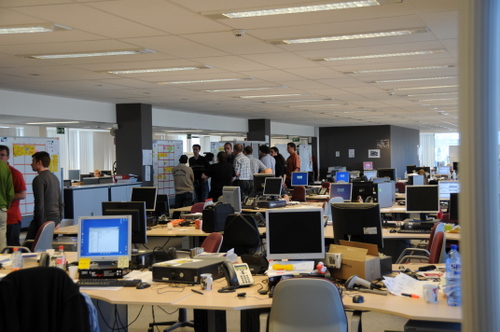
If tasks are readable from two meters without effort, they might also be somewhat readable from a distance of up to 5 or 6 meters. If the taskboard is in the work area, chances are most desks will be located within this radius. This means that team members might be able to read the taskboard from their desk, something desirable. As an example, in the picture below, most desks are within reading distance of their taskboard.

XQA_0250

The thick black marker

A black permanent marker with a rounded tip is the only writing tool you will need. If you take care of it well (you close the lid carefully and don’t press too hard on the tip when you write) it will far outlive your project. They are also very cheap and it is not unreasonable to give one to each team member.

There are several brands in the market. I have tested many of them and my top recommendation is the Edding 3000 which I can get for around €1 a piece here in Belgium.

Edding3000_firstprize

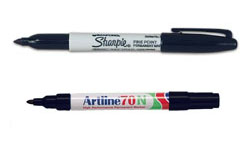
Top contenders and good substitutes are the Sharpie classic and the Artline 70N.

sharpie_artline

What you are looking for in a quality permanent marker is:

  • rich, solid black ink
  • ink dries fast, doesn’t smear
  • doesn’t bleed on Post-it paper
  • lasts long
  • cap fits on the back (so you don’t lose it), and is easy to open and close

As an extra, the Edding 3000 and some other brands come in a mini-marker version which is ideal for the purse of the lady Product Owner or the pocket of the gentleman Scrum Master. :)

8 comments

Tim McMahon's avatar
Tim McMahon on July 19, 2009 at 2:22 am

Great post. I shared this one of our production supervisors after he tried to read on of the task item on our daily accountability board that his boss wrote. The timing on your post could not have worked out better. He is not acting on the advice in your post to make all our task readable.

Pieter VD's avatar
Pieter VD on July 20, 2009 at 6:27 pm

Xavier,
Maybe some next ideas about building ‘green’ or environment-friendly whiteboard and tools? Those markers are really ugly…

Xavier Quesada Allue's avatar
Xavier Quesada Allue on July 24, 2009 at 3:44 pm

Hi Pieter. Well, in fact if you want to go green I would recommend the Artline 70N. It says “New Ecological Advanced Technology” and “Without xylene, without butanol, without toxic solvents” on the side. It seems to be the ‘greenest’ black marker. You can also refill it when it runs dry.
Regards,
Xavier

Kurt's avatar
Kurt on July 30, 2009 at 6:07 am

So what are the best whiteboard / dry erase markers?

Xavier Quesada Allue's avatar
Xavier Quesada Allue on July 30, 2009 at 9:15 am

Hmm.. good question! I’m going to have to investigate that :)

Rachel Davies's avatar
Rachel Davies on August 13, 2009 at 10:59 pm

Lots of facilitators swear by chisel-tipped markers – you can do thin and thick writing with them. Water-soluble means they don’t have heavy fumes. Expensive markers are from Neuland but in USA they also have some nice cheap markers which have fruit smells called Mr Sketch!

Diana Larsen's avatar
Diana Larsen on August 29, 2009 at 5:49 pm

For people in the USA:

For writing on flip charts, I prefer the chisel-tipped, water-based Mr Sketch or Neuland markers mentioned above.

For writing on sticky-notes (super sticky post-its, etc.) or index cards, i hand out Pentel Color Pens (fine point fiber-tipped marker) in black and/or prussian blue. They are as readable as Sharpies, yet are non-toxic, dry instantly, and don’t bleed through the paper to mark the underlying notes. And less expensive. I purchase them in boxes of one color from http://www.artsuppliesonline.com/catalog.cfm?cata_id=1901. When you use these markers on notes, the notes are still recyclable.

I haven’t found any whiteboard/dry erase markers that meet my standards. All I’ve found so far are barely adequate. There are some that claim to be low scent or non-toxic, but I know people who still get headaches from them.

Pingback from Se hace camino al andar… » Blog Archive » Jugar a mejorar on November 30, 2009 at 10:53 am

Dreaming in Post-Its

Great video!

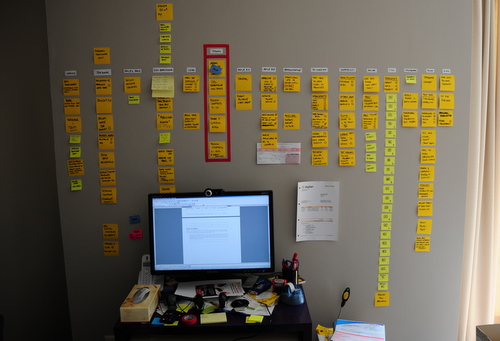
Any similarity between this guy and my desk is purely… frightening. I hope these things don’t start moving on their own!

Xavier’s desk

4 comments

Tim McMahon's avatar
Tim McMahon on June 19, 2009 at 12:25 am

I am interested in your system posted at your desk. Could you explain it a little further to me.

Tobias Mayer's avatar
Tobias Mayer on June 23, 2009 at 12:44 pm

Excellent video. Your post-it arrangement is very aesthetically pleasing, but I have to ask you this: how can you work on such a tiny desk? Seems crazy :-)

Xavier Quesada Allue's avatar
Xavier Quesada Allue on June 23, 2009 at 12:55 pm

Haha.. who said I can? I just went to IKEA last week and I have a new desk waiting to be assembled. This was an emergency desk that a friend lent me.

Xavier Quesada Allue's avatar
Xavier Quesada Allue on June 23, 2009 at 12:57 pm

Hi Tim!
Thanks for your interest. I will try to publish a blog post about it soon. I need to figure out some details first, as I am experimenting with it. I’ll let you know when I write something up.
Xavier

Kanban boards

Here are some examples of Kanban boards I built for a friend. I was not coaching these teams, so I did not have any say on the process. My job was simply to build a board that would reflect their current process, using my Visual Management guidelines.

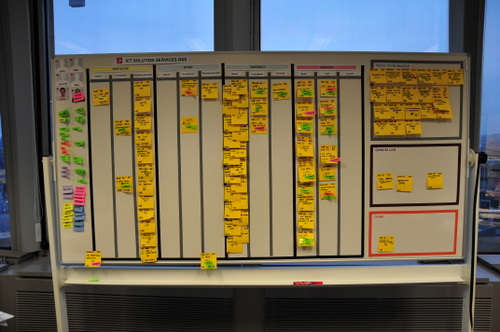
These boards are for a corporate unit that acts as a sort of “enterprise proxy product owner”. They receive business demands from multiple business units, they analyze and classify them, and make a proposal to the customer. They also make recommendations such as build or buy. If the proposal is approved, they send it to development and follow it up into production.

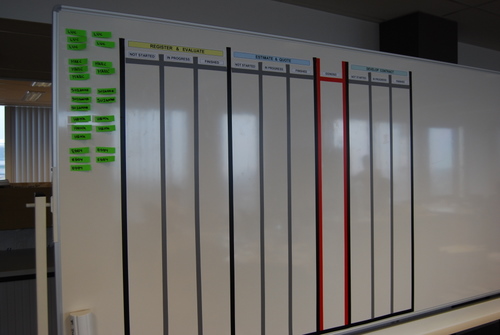
For my first attempt, I was told that there was a special state that had to be highlighted: the “GO/NO GO” state, where a proposal is waiting to be either approved or rejected. So I built this board with a red swimlane to hold kanban cards in that state:

Kanban board with go/no go

I was very happy with this solution from the visual point of view. Unfortunately they realized that it did not reflect their process accurately so I was asked to tear it down and start over again.

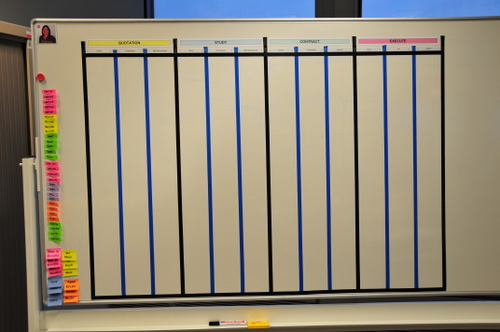
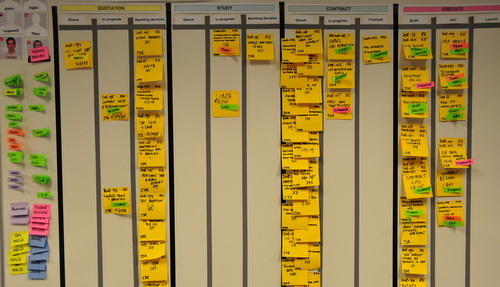
For the next iteration, They identified four states where something vaguely resembling single-piece-flow should theoretically occur. The four states are “quotation” (yellow) , “study” (blue), “contract” (green) and “execute” (red). The colors are the background color I chose as a title for the swimlane to visually distinguish it. For each state, there are three sub-states that are not always the same. This is what a finished board looked like:

xqa_0756-1

Note that I used different colored tape to indicate internal columns from state-boundary columns. In the first board I had used gray tape, which I like more than the blue tape in this picture because it connotes better the idea of sub-columns.

These boards were accepted and populated with kanban cards. Each card is a Super Sticky Post-It, representing a customer demand as it flows from being submitted by the business to being deployed into production. Note how immediately upon populating the board the bottlenecks became visible. This board represent the initial state this team was in when they decided to visualize their workflow.

xqa_0761-1

They also put some sections out of the swimlanes for special things. For example jobs that get cancelled or sent back to the business. Those are the boxes you see on the side.

Here is a closeup of the main part of the board.

xqa_0762-1

9 comments

David Joyce's avatar
David Joyce on June 18, 2009 at 4:49 pm

Good post. I think you need to put limits on your queues as they still count to total WIP and affect Lead and Cycle time.

Pingback from Visualisation + Action = Visual Management « Thinking for a Change on September 21, 2009 at 9:02 am

Bogdan Nedelcu's avatar
Bogdan Nedelcu on December 30, 2009 at 2:57 pm

I created a visual kanban board by using a blog site and few lines of code. The sample uses a sharepoint blog, but the code can use any RSS blog.
Hope it helps.

ChrisInCambo's avatar
ChrisInCambo on May 19, 2010 at 2:57 am

Agree with David, WIP limits are needed there seems to be far too much on the board at the same time.

Pingback from Resources for value stream mapping « kanban.la on July 1, 2011 at 9:26 pm

Gerry Kirk's avatar
Gerry Kirk on December 6, 2012 at 3:10 am

I’d like to use your photos as examples, Xavier, main problem is the photos are small, can you link them to the originals, if you still have them?

Nice work!

S Nikam's avatar
S Nikam on December 11, 2013 at 7:19 pm

Hi,

The info and pictures are really helpful. With your permission, I would like to use some of the pictures from your site in a project work I am currently doing ? Please advise ?

Cheers,

Shivaji

Xavier Quesada Allue's avatar
Xavier Quesada Allue on December 25, 2013 at 9:38 pm

Hi Shivaji, you can use the pictures if you quote the source.
Regards,
Xavier

Daily Scrum against the board

A good way to know if your team is using their taskboard to really manage their work is to look at their daily standup meeting.

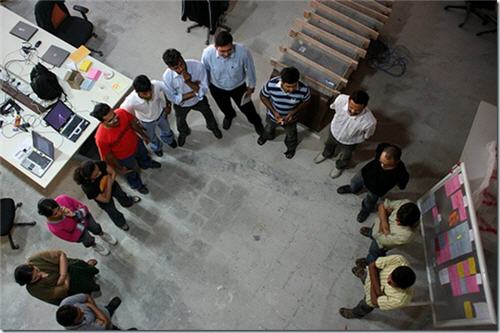
Does it look like this:

standup1

or like this?

standup2

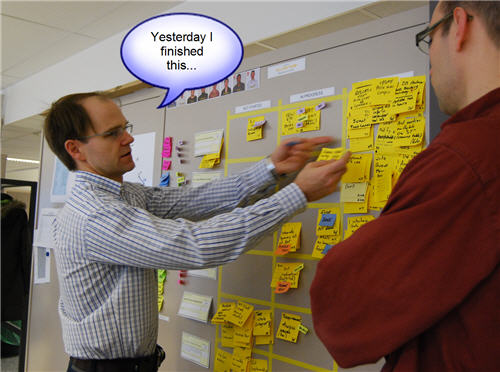
A team that is using visual management to manage their work will always do their daily standup against the board. During the daily standup you update your team members on your work. Both work finished the day before and work still in progress should be clearly indicated on the board. It only makes sense to go over the board as you talk. This is both easier for you and easier for team members. It also helps to visually place what you are talking about in context.

marc

If you are using the DONE tag, nametags, status tags and the three columns; then there is a very simple guideline to make sure you don’t forget to talk about anything important every day: do the daily standup against the board, and make sure all tasks in the middle column (“in progress”) are talked about.

10 comments

Jason Yip's avatar
Jason Yip on May 2, 2009 at 2:22 am

I’m tending to agree. Need to get around to updating the paper…

Tobias Mayer's avatar
Tobias Mayer on May 8, 2009 at 7:31 am

Good stuff as always, Xavier.

Eric Willeke's avatar
Eric Willeke on May 28, 2009 at 9:30 am

This sounds like it leads into the “Talking Cards” concept… I who it was talking about that, though… maybe Brian Marick?

Xavier Quesada Allue's avatar
Xavier Quesada Allue on June 4, 2009 at 12:24 pm

Hi Eric,
I’ve been googling around and was unable to find any references to “Talking Cards” applied to Agile or Scrum except for a presentation from Tim Mackinnon at Agile 2008 where he mentions it on a slide. If anybody has any further references about this, I would appreciate it.
Xavier

Pingback from La ciencia trás la gestión visual | Aplicando Scrum on September 18, 2009 at 7:31 pm

Syed Niaz's avatar
Syed Niaz on March 24, 2010 at 10:25 am

The idea of standing in a circle and facing each other comes from the fact that one feels guilty/uncomfortable in facing his/her teammates when they have not done the task that was supposed to be done the previous day.

Similary, there is a pride associated with the work you do when you have done it in time, and you love to see your teammates appreciate it. This in turn generates more energy to the entire team as everyone loves to be appreciated.

Talking against a board will remove the above two greatest advantages of a Daily Stand-up meeting.

Pingback from Sprint tracking using a task board. « Perigee Consulting on November 9, 2010 at 4:39 am

toyota-waterfall

Mary Poppendieck, Henrik Kniberg and a bunch of other people are on a Lean Tour in Japan that might turn out to be historical.  According to this blog post, a Toyota software development manager has spoken openly for the first time on how they develop software, and guess what? Yep, it’s waterfall. We’re waiting for more details on the Lean Development list regarding how they manage to pull this off and what they think of the Agile community, but I think we’re going to learn a lot here.

Update 2/May: this is what Mary says about what Toyota is doing and thinking

The person we heard from at Toyota – Ishii-san – deals with embedded software in production automobiles.  I understand that for a prototype part, software can take a matter of days.  In production parts, the cycle was 3 months.  When you are dealing with embedded software in production hardware, a 3 month waterfall is really fast.  And note that at Toyota, people really do talk about “bad news first”, so what we heard about is what they consider a problem, as opposed to what is going well.

To answer your question about agile, Ishii-san said they are studying agile, but their architecture is not particularly supportive of it.  His real motivation, as I heard his comments, is that improvement is necessary because of the late detection of defects.  I imagine that they will focus on early removal of defects, and adopt whatever processes prove (after PDCA cycles) to be more proficient at doing this.

Toyota people will not just do agile because someone says it is good.  They will look at their objectives and adopt whatever process gives them more of what they consider good.  And Toyota is  VERY good at doing this – I would not want to be competing against them!

6 comments

Vasco Duarte's avatar
Vasco Duarte on May 4, 2009 at 9:19 am

I commented on this thread that started with JetBrains’ blog article on the whole “Toyota does Waterfall” diatribe.

It’s not really “Waterfall” as we know it, of course, as Mary says in your blog post quote.

Check out my review of this discussion and associated comments here: http://softwaredevelopmenttoday.blogspot.com/2009/04/does-toyota-really-use-waterfall-for.html#comments

Geert Acke's avatar
Geert Acke on May 16, 2009 at 9:49 pm

I worked for Toyota in 2006/2007 on a Very Large Software Project and they worked purely waterfall. In theory they have a process called TUP, based on RUP, but they actually don’t follow that.

Indeed they use PDCA cycles, but only in a reactive way when management tries to find a way out of trouble.

I’m quite convinced a scrum type of management would haved saved them heaps of mony on that particular project…

Nick Karamolegos's avatar
Nick Karamolegos on January 12, 2010 at 12:38 pm

I am wandering if the fact that Toyota’s IT does not follow the TPS principles (Lean and Agile in this case) possibly proves that Toyota, as many other enterprises, either does not consider IT as a vital part or its top management considers IT as a magical box and does not touch it.

Ross's avatar
Ross on February 24, 2010 at 3:29 am

Thanks to Alan Dayley for directing me to this posting. I can understand why TPS is not the model for software development at Toyota. It has taken folks like Mary to help adapt the decidedly linear process model that is TPS in manufacturing to the software development paradigm.

Since in software development one is rarely producing the same component twice (with reuse exceptions) this differs greatly from manufacturing where each component is intended to be like the previous. Pride of product quality by each individual spawns continuous improvement on the method and delivery upon demand removes waste; these are hallmarks of the method.

PDCA is foundational to TPS and to agile. TPS is extremely focused on metrics for “in process” control of quality. It is extremely difficult to find these in process metrics in software development. For instance if a automotive part is being created an operator can immediately measure in process to determine if the product is out of spec. The same is difficult in software as the creation is largely a thought exercise and the “spec” in not so well measured. So in agile we compensate for this by focusing on the process of development rather that the in process development of the product (with the exception some XP and PSP practices). We expose those products to early integration to then test the product quality, but defects can only be detected very early not predicted or prevented.

It will be very interesting to watch how companies like Toyota, with there relentless focus on effective production and quality, react to recent events that challenge the presumption of quality. Additionally as automobiles (and other Toyota products) become much more software based, it will be interesting to see how TPS is rolled into a software development methodology.

Henrik Kniberg's avatar
Henrik Kniberg on March 16, 2010 at 7:21 pm

I finally found the time to describe in more detail what we learned about Toyota’s software development process during our visit. Here’s the article “Toyota’s journey from Waterfall to Lean software development”:
http://blog.crisp.se/henrikkniberg/2010/03/16/1268757660000.html

Clifford Calcutt's avatar
Clifford Calcutt on March 18, 2010 at 9:45 am

Given the recent quality issues at Toyota it is interesting to see Geert’s comments above, from the inside of a development.

My belief is that most of the TPS tools we are all familiar with (Kaizan, Kanban etc) simply do not relate to the new product development (NPD) process, they relate to the production process, which in their industry is very separate to the earlier NPD process.

I have always felt it makes more sense to compare the software development process with “new product development” rather than production. In which case rather than adapt TPS to software development we might do better to look at Set Based Concurrent Engineering (SBCE).

“The Toyota Product Development System” by Morgan and Liker describes their approach to NPD, which is very based around (SBCE).

Unfortunately I think Nick’s comments about software dev being a problem to most senior managers (whether they are in Toyota or not) might well apply.

Sounds as if they do not even use their “normal” NPD approach.

« Newer posts | Older posts »