It’s finally here! After so many years of iterations, and delays due to the pandemic, I am proud to officially announce and publish the first version of Vima (formerly pre-published here as VMF or Visual Management Framework).

www.vima.cc

I hope to offer the community a real alternative to Scrum and Kanban, tailored to business teams or any environment that is a little bit chaotic in nature.

Vima is a way to bring business agility at team level into any organization. You still need to do a lot of work on mindset and culture, Vima will not work without agile leadership. But for most business teams, it is a better starting point than vanilla Scrum or Kanban and will get you off your feet faster.

Vima is not recommended as a default option for teams that do mainly innovation or product/project work. For those teams, Scrum is still the best starting point. For all other teams, try Vima.

VMF Core Patterns

#1 Calendar taskboards and date-constrained work

The most important, visible and distinguishing pattern in VMF is the integration of calendar aspects into a classic agile taskboard that allows us to visualize the time dimension when planning and executing work. Concretely, this means a VMF taskboard design will have date-related rows or columns in it instead of (or besides) a value stream, and we embrace that some tasks or PBIs will have date-related constraints.

Examples:

  • a column for each day of the week in the VMF Sprint board
  • a row or column for each sprint in the VMF Map board
  • recurring tasks
  • tasks with deadlines
  • tasks that must be done on a certain day or hour
  • dependencies that must be followed up

#2 Date-constrained empirical planning

The second pattern in VMF is the extension of empirical planning activities to include date-constrained work.

The addition of calendar-based rows or columns implies that a VMF planning session is first date-driven and second priority-driven – but without losing its empirical nature. In VMF we will take dates into account when defining a sprint or quarterly backlog.

This is in contrast to a classic Scrum planning approach which only takes into account capacity and priority, or a Kanban approach that has no planning. While we integrate dates, we maintain the empirical nature of agile planning as a core practice. This is a bit more complex than classic agile planning which is only priority-centric and slightly changes the nature of the planning practice.

In practice, this is not as difficult as it sounds. It means we start by taking into account date-constrained work, and fill in the remaining expected capacity of the sprint, quarter or release with priority work. When picking up work, date constrained work will have priority over non-date-constrained work.

#3 The VMF Map and mid-term planning

The third distinguishing pattern in VMF is the multi-track backlog, which we call the VMF Map (in honor of the User Story Map, which it resembles) and the associated mid-term refinement and planning activities. The VMF map is a two-dimensional team backlog. One dimension represents priorities and dates. The other dimension represents independent products, value streams, projects, or similar. Essentially different types of work that the team concurrently works on within the same planning window. A VMF team is a positive multi-tasking team that integrates and prioritizes work from different value streams into a delivery of maximum business value from a systemic perspective. Refinement and mid-term planning activities consist not only of classic refinement work (changing priorities, adding details, breaking down work) but also of regularly studying progress across different value streams and making strategic refinement decisions based on empirical data. For example, we might decide to descope a project or value stream from a team because the unplanned work the team has to handle exceeds initial projections.

Visual Management Framework (VMF) – Part 1

An Agile framework for teams outside of software, IT and product development.

This is the first in a 3-part series of articles describing the Visual Management Framework (VMF), a framework for creating Agile teams outside of software, IT and product development.

Part 1: Introduction and target audience

This article is for you if you are interested in Agile, Scrum and Lean and work in/with a team that has many of the following characteristics:

  • Business team with BAU work

    • A large part of your work week consists of what is frequently called “Business as usual” (“BAU”) or operational work – somewhat repetitive, somewhat standardized activities that either constitute or support your core business and are considered value-added to your organization. The daily tasks might seem simple and repetitive to outsiders, but each task is somewhat challenging and has some risk and variation to it, as it involves dealing with people and data. It is not assembly line work.
  • Deadlines

    • Work often has time constraints: deadlines, service level agreements, “cannot start before” date, “has to be done exactly at that day/hour”, etc. This means it is not enough to focus purely on priorities.
  • Recurring work

    • There are recurring activities that need to be done regularly, otherwise things stop running smoothly and failure demand is created.
  • Multiple types of work (multiple value streams)

    • There are different types of activities that have to be dealt with within your team. Often, these value streams are not universally prioritizable (i.e. it is not the case that “work type A” always has precedence over “work type B”)
  • Projects

    • Your team is also expected to contribute to or deliver projects of different nature. Some of them are internal improvement projects coming from and benefiting mainly your team. Some are bigger or external projects where you are involved as a stakeholder, part time project team member, subject matter expert, etc. Often you are expected to work on multiple projects in parallel.
  • Dependencies

    • Both your BAU and project work often involve interacting with 3rd parties outside your team, creating dependencies which involve waiting periods and follow-up activities. These dependencies cannot be eliminated (at least not in the short term) due to multiple reasons (e.g. logistical, economic, technical, HR, political, legal/compliance, etc.).
  • Emergencies

    • You also need to frequently respond to urgent requests from a variety of sources: customers, management, incidents, etc.

Your typical work week is a big mix of scheduled tasks, high priority work, recurring work, urgent-important stuff, firefighting, working on multiple projects at the same time, multitasking, context switching… This scenario can quickly lead to stress, chaos, and the feeling that you are overwhelmed and the situation is not under control.

Symptoms might include:

  • No clear priorities You cannot reliably answer if you are working on the most important, most valuable things right now – there is too much on your plate. It feels everything you get to work on is urgent and important. You do not trust your prioritization process, or you don’t have one, or you have one but you don’t have enough time to apply it to classify and prioritize the work. You are not able to effectively balance long-term and short-term work.
  • Forgetting stuff Too often you forget to follow up on something, or to do a task. This creates failure demand.
  • Lack of project visibility You do not have good visibility on project progress. You are typically unable to forecast a delivery date for projects or give warning if you are falling behind.
  • Lack of trust from leadership This creates a feeling among leadership that projects involving your team never get done, or don’t get done fast enough – and that your team is not reliable.
  • Overworked You have the feeling the team is overloaded with work beyond its capacity, but you cannot prove it.
  • Not a real team You might also have the feeling you are not a very effective team in general. You see opportunities for improvement regarding communication, collaboration, self-organization, shared purpose feeling, etc. If you have a leadership position within the team, you might feel you are micromanaging and burning out and not getting the results you hope for.

You might have heard of the benefits Agile methods have brought to the world of software development, IT, and product development in general. Maybe you have already dipped your toes in the agile waters, reading a book or taking a foundations training such as the Certified ScrumMaster from the Scrum Alliance. And you might have found that while the general message resonates and motivates you, most of the examples are IT-related and some of the learning objectives and practices are very IT specific – they don’t seem to fully cover or understand the reality of your team. You are looking for an Agile approach that embraces and works with the full scope of your team’s work, instead of fighting or ignoring it. Unfortunately, this approach doesn’t exist (yet)!

In large organizations there are a number of teams or departments that typically meet these criteria. Examples include HR teams, Marketing, Sales, Customer Service, Finance & Accounting, Quality Assurance, senior leadership (ExCo) and often also operational teams doing core business activities.

In small & medium companies the trend is even stronger, as there is a need for more cross-functionality and T-shaping. Admin departments and most operational teams from medium and small service organizations tend to meet the criteria. There are dozens of other examples across all industries, size and type of organizations.

It is actually easier to summarize the type of teams that do not fit these criteria. Teams that do not fit these criteria usually fall into one of these two categories:

  • Dedicated product development teams that do primarily innovation work and are focused on one thing (software development teams, dedicated project teams, etc.)
  • Teams that do primarily highly standardized, highly repetitive or highly unplannable work (factory teams working the assembly line, call center teams, emergency response teams, etc.).

For all the rest, the Visual Management framework (VMF) is probably of interest.

Part 2 of this article series will describe the core practices and patterns that constitute the framework.

Part 3 will describe some case studies and examples of the framework in practice.

Joke and I will be presenting our patterns for working with time-constrained work (deadlines, delegated work, recurring work, etc.) in an agile way at the London Scrum Gathering today. We’re calling it the “Visual Management” framework. Stay tuned for more information including slides and extra content on this blog after the presentation is over.

Xavier

Laser guide for building a taskboard

Building a taskboard using a laser guide

Building a taskboard using a laser guide

Here’s a high tech and original way of building a physical taskboard. (source: Agilar team @ Belgacom)

1 comment

Marian Spector's avatar
Marian Spector on August 27, 2013 at 5:49 pm

Great idea – using a laser. Multi-colored lab tape is also extremely useful. We add a photo of each team member to the grid. Management loves to walk around and look at all the colorful scrum boards.

Visual Management workshop applied

Samir Hanna is a ScrumMaster at F-Secure in Bordeaux. He and his team felt they needed to improve their taskboard.

“The board is the mirror of the team’s daily work. The board was a mess… You could not see anything, everything was confusing… You can’t have clean water coming from a dirty pipe.”

He wrote an e-mail to the Agile Games mailing list asking for a suggestion and was referred to the Visual Management workshop I ran at Agile 2009 in Chicago. Read Samir’s account on how he ran the workshop within his team, with great results. Nice taskboard Samir! I particularly like the small pictures and the status tags. And of course the gun.

Team Calendar

How does a self-managed and self-organized team coordinate holidays and other planned absences? It doesn’t need to be more complicated than a Team Calendar. Print a blank monthly calendar on an A4 sheet of paper (you can do this from Outlook, or if you want to go fancy, Visio) and put it on the taskboard. Team members write their name on the days they will be out of office.

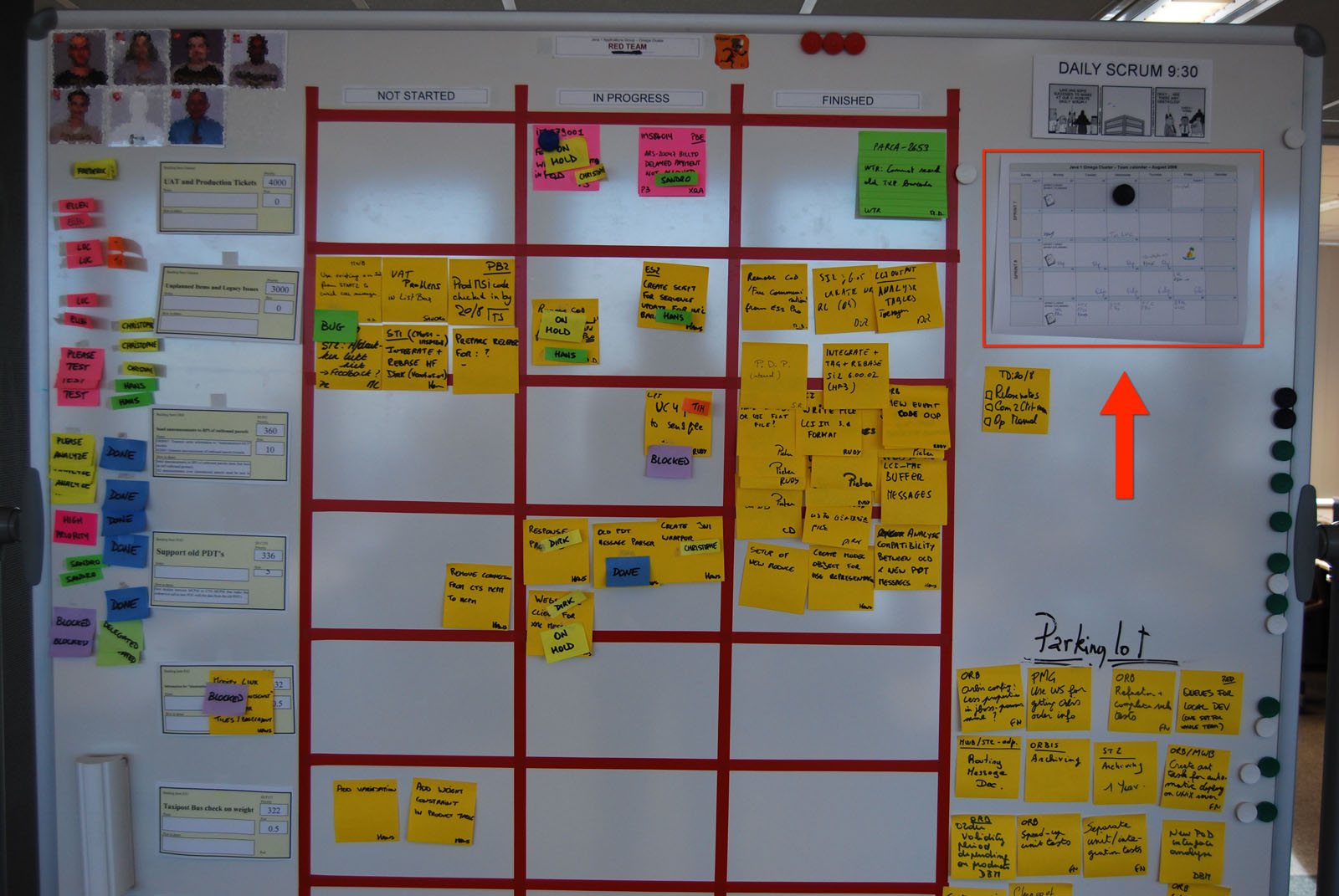
Scrum Board with highlighted team calendar

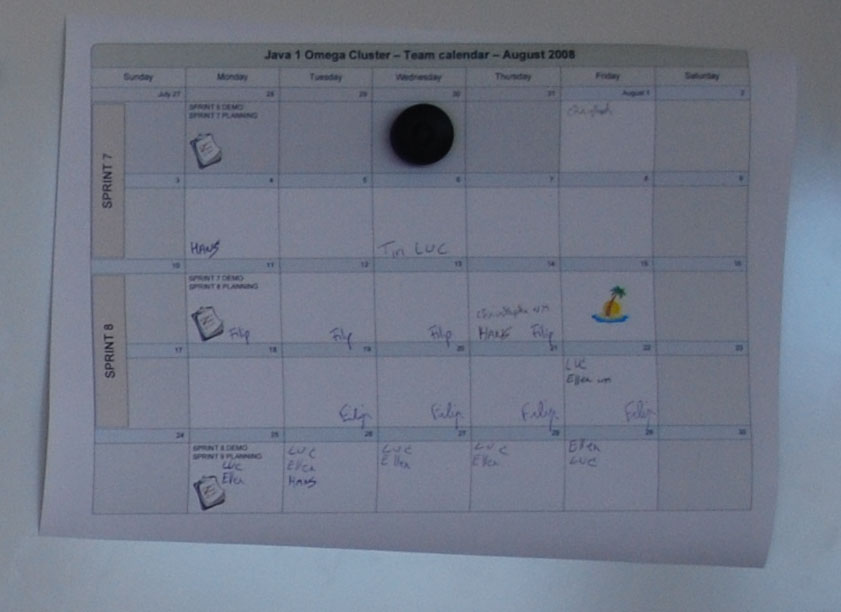
(Click to zoom on the pictures) The team calendar is also a good place to write down any team events, indicate start and end of sprints, etc. This closeup of the calendar below shows which 2-week sprints the team will be doing during the month. It also indicates the day they demo and plan (every two mondays) and there is a national holiday indicated by the little island icon.

Team calendar closeup

As you approach the end of the month, you probably want to put up next month’s calendar on the board, at the same time as the current month.

1 comment

Tom's avatar
Tom on June 20, 2011 at 5:47 pm

Any thoughts on Sharepoint?

Visual Management for having a baby

Laura endorsing the Visual Management Blog

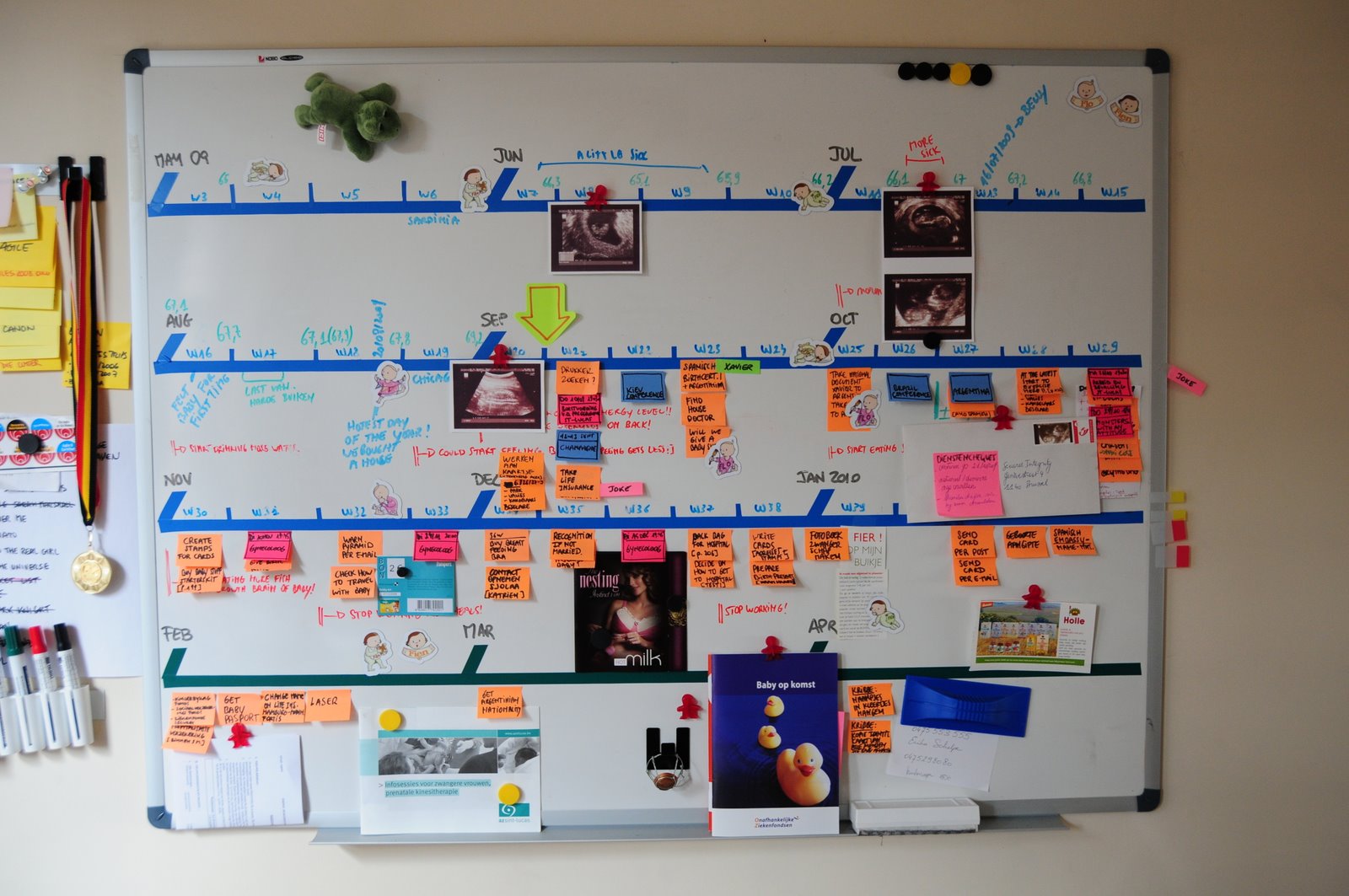
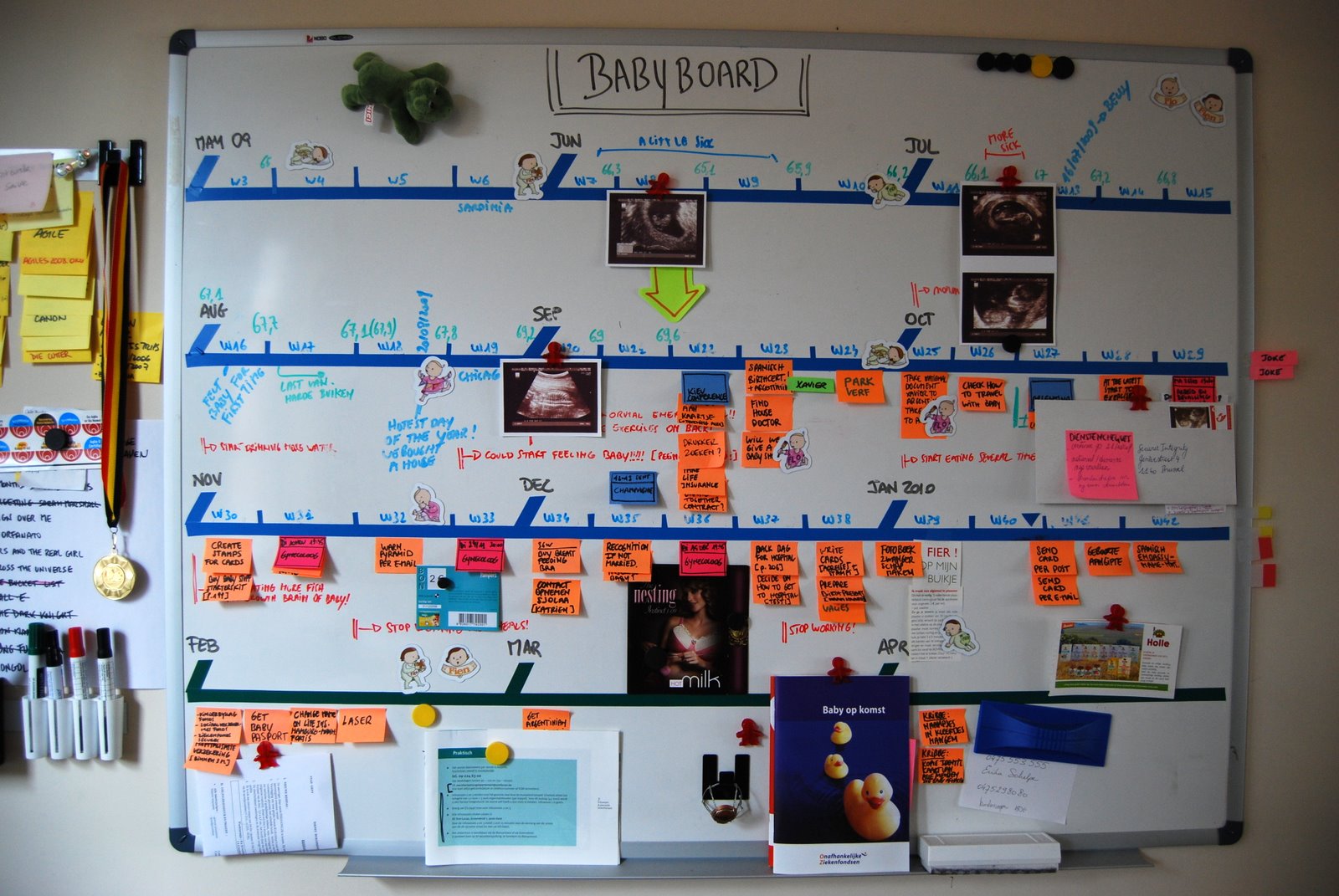
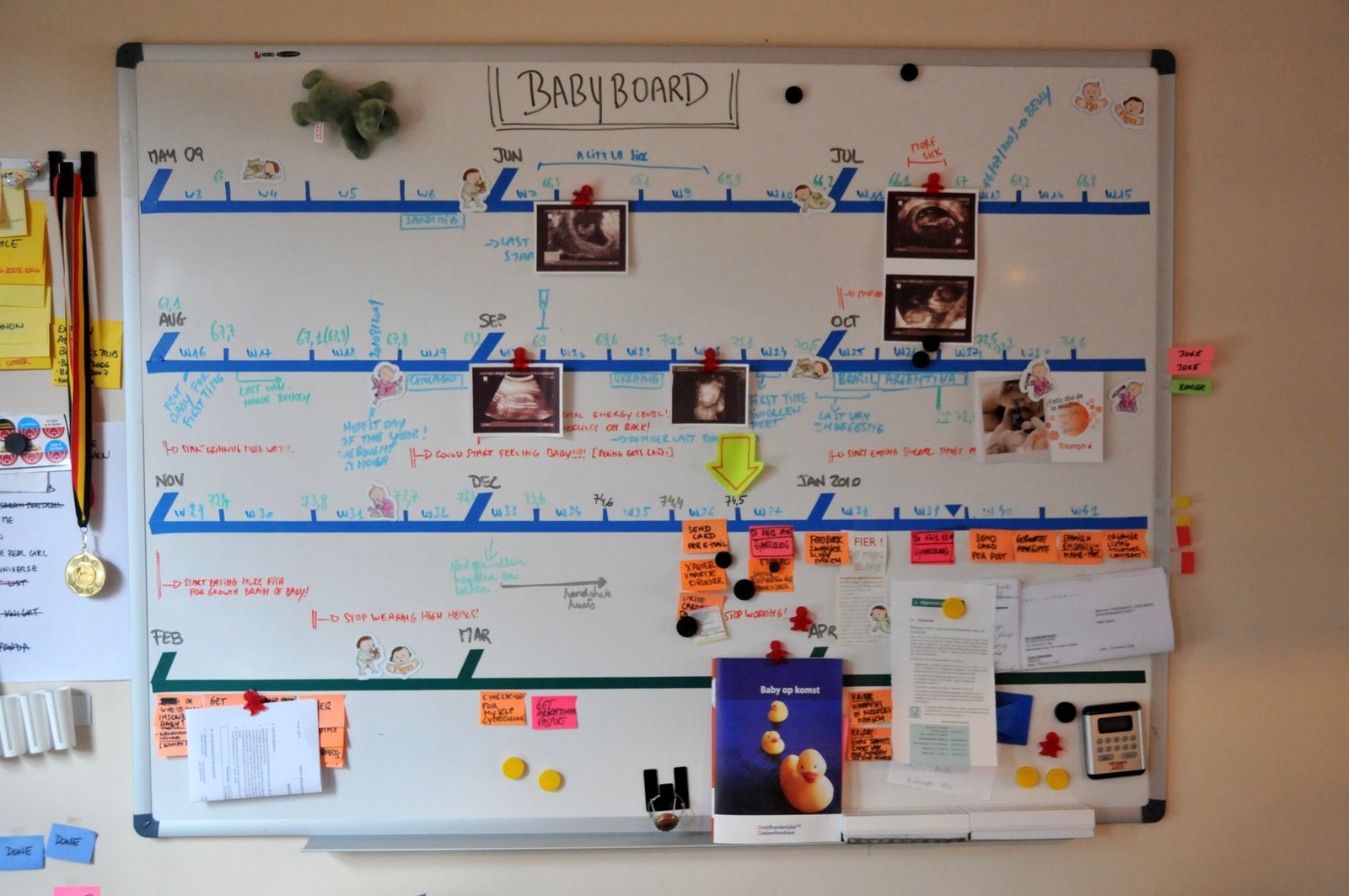
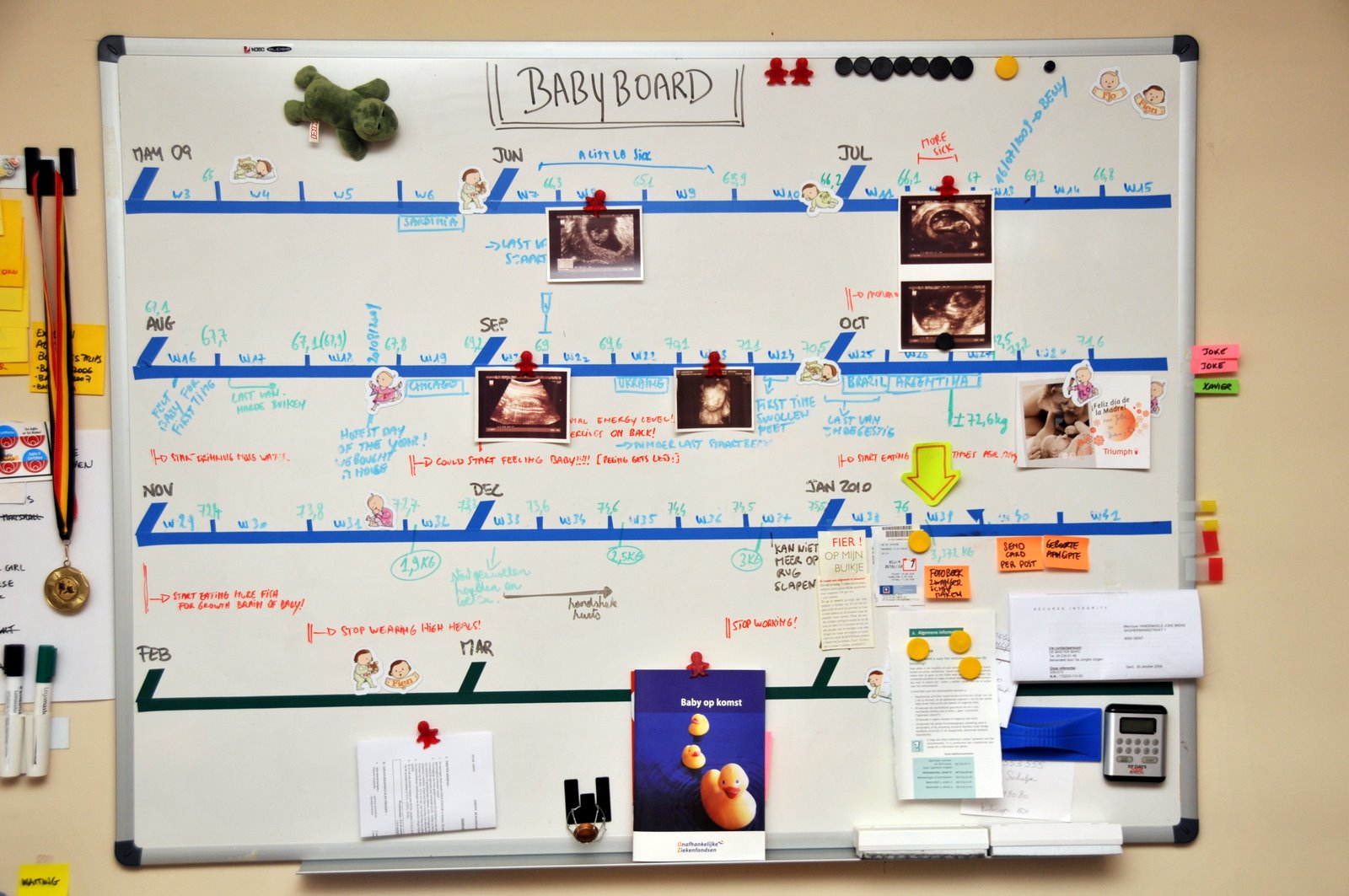
Hello! I am Laura Quesada Allue. I was born in January 2010. Maybe you were wondering why my daddy hasn’t written anything on this blog for the last 8 months? Well, now you know!

This blog post tells the story of how my parents used Visual Management to coordinate the tough project of preparing themselves for my coming to the world. I leave you with them now…

Project initiation

When we learned we were going to be parents, the first thing we did was to think about the main characteristics and constraints of this project.

  • There were two main tracks. One had to do with making sure the pregnancy and delivery went well. Tasks in this track were for example periodic visits to the doctor, finding a good hospital, etc. This track was high priority and almost all tasks were “must have”.
  • The other track dealt mostly with things we needed to get ready before the baby was born, such as the baby room, the baby card, having enough clothes, the Maxi-Cosi, etc. Tasks in this track were spread all over from “must have” to “nice to have” so they were very good candidates for prioritization.
  • We can think of the customer of the project as Laura, and the team as us the parents. Other stakeholders included the doctors, family and friends.
  • This project was going live no matter what. Like the Olympics, you can’t change the date one month before launch just because you’re not making it! An interesting note is that we didn’t know the exact go live date, we only had a range. We would be told the exact launch date by the customer (Laura) with aprox. 24hs of anticipation :). So we had to be ready with all must-have functionality by the earliest possible launch date.
  • For some tasks the acceptance criteria was very negotiable. For example: buying a crib was a must-have. But that the crib should be the coolest crib on earth was nice-to-have. ‘Coolest on earth’ was part of the negotiable acceptance criteria of that story.
  • Some tasks had to happen at a certain fixed date, others were flexible. Typical fixed-date tasks were doctor’s appointments for example.
  • The team members (us, the parents) were not working full time on the project. This means that at certain moments, if necessary, we could scale up our efforts on this project to the detriment of other parallel projects we were doing (for example searching for a house, or our day jobs).
  • We wanted to delay doing things until the last responsible moment, but we also wanted to do things at a sustainable pace.  The challenge was to balance our workload evenly.

Based on these characteristics, we chose the following Visual Management strategy:

  1. Since the project was time driven, we would build a physical taskboard that visually represented the project timeline.
  2. We would populate the board with tasks and metadata (important information we had about the project).
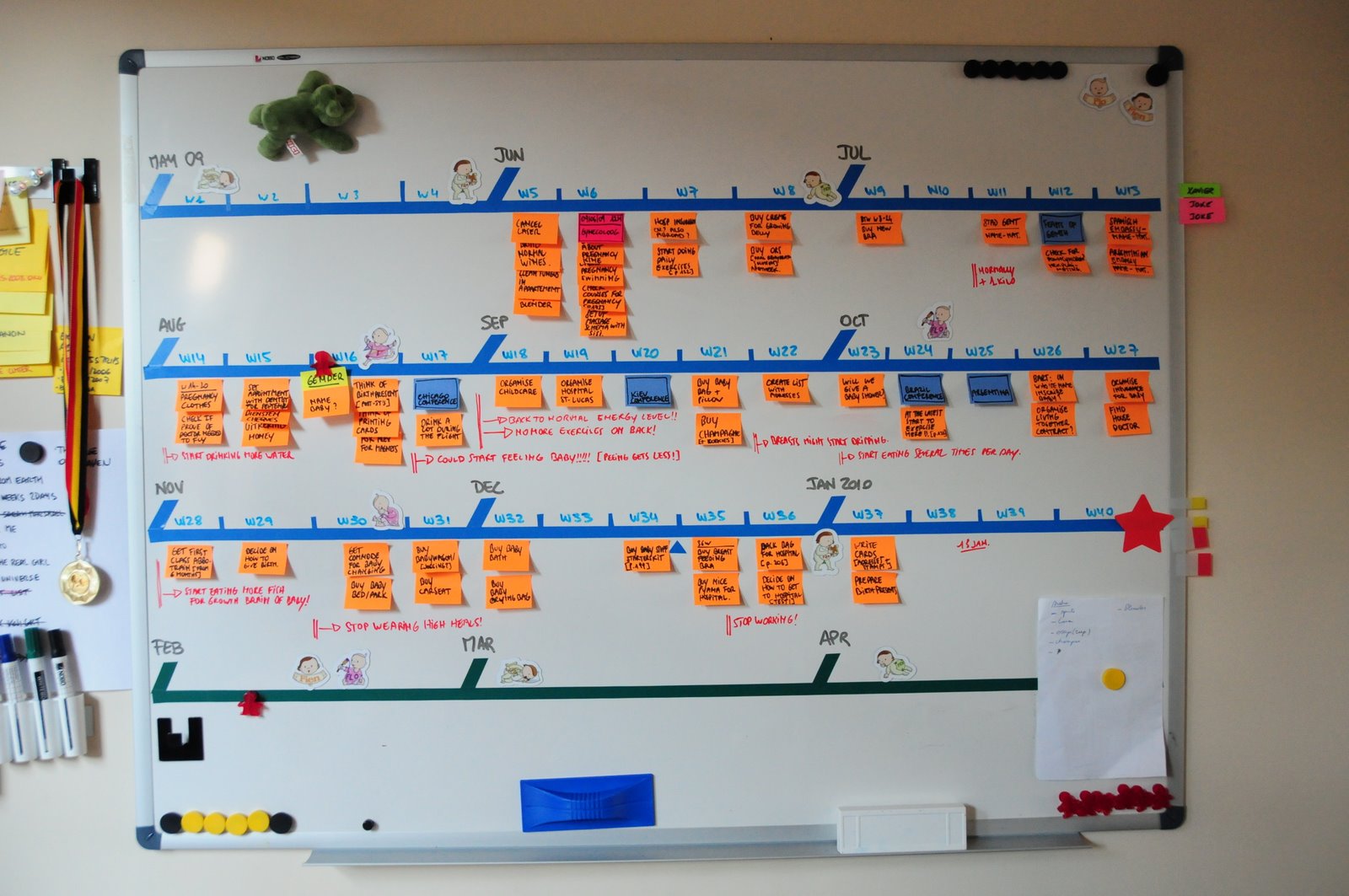
  3. Tasks would have a different color based on their nature: orange for normal tasks, pink for fixed-date tasks (appointments), blue for special events such as Agile conferences or other travel.
  4. The pink and blue tasks were fixed on the timeline by their nature. The orange tasks could be moved around. We would balance the load by changing the position of orange tasks so as to spread work evenly throughout the project.
  5. What to do with tasks that got done? First we thought on crossing them out and keeping them there, but we quickly learned that it was visually confusing. So finished tasks would be removed from the board.

Building the taskboard

Note: you can click on all the pictures for a high-resolution version.

Baby board construction

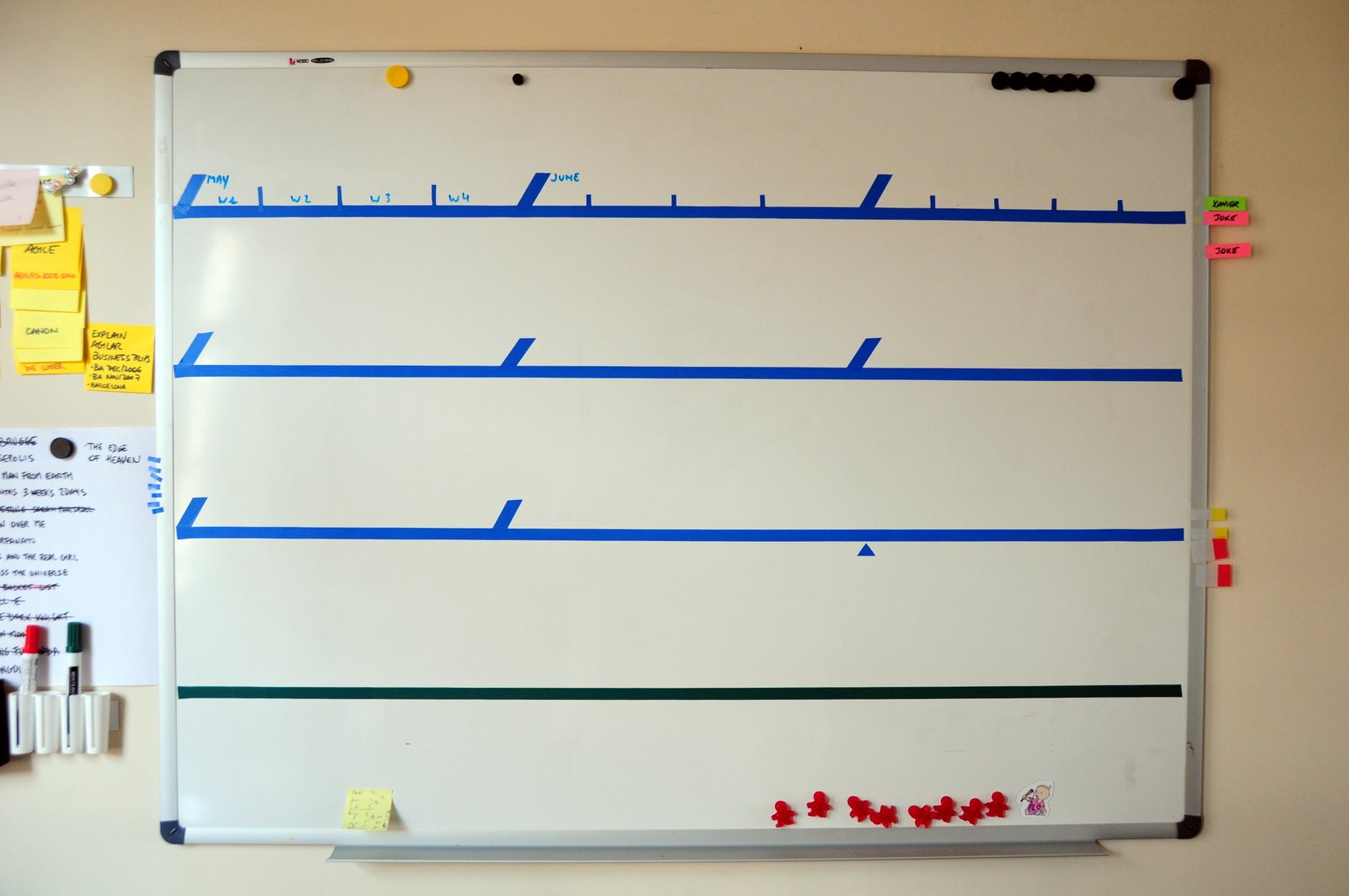
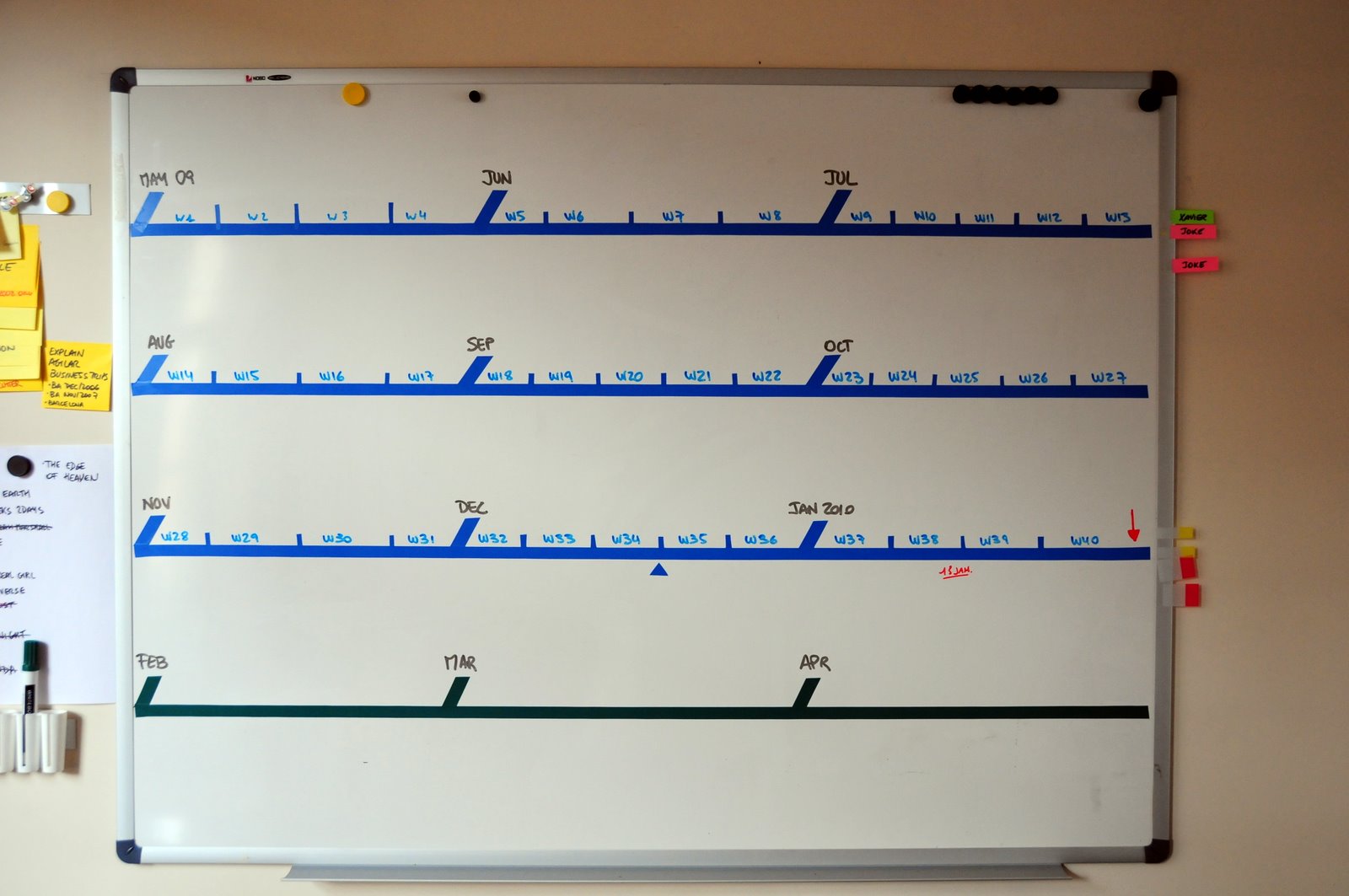
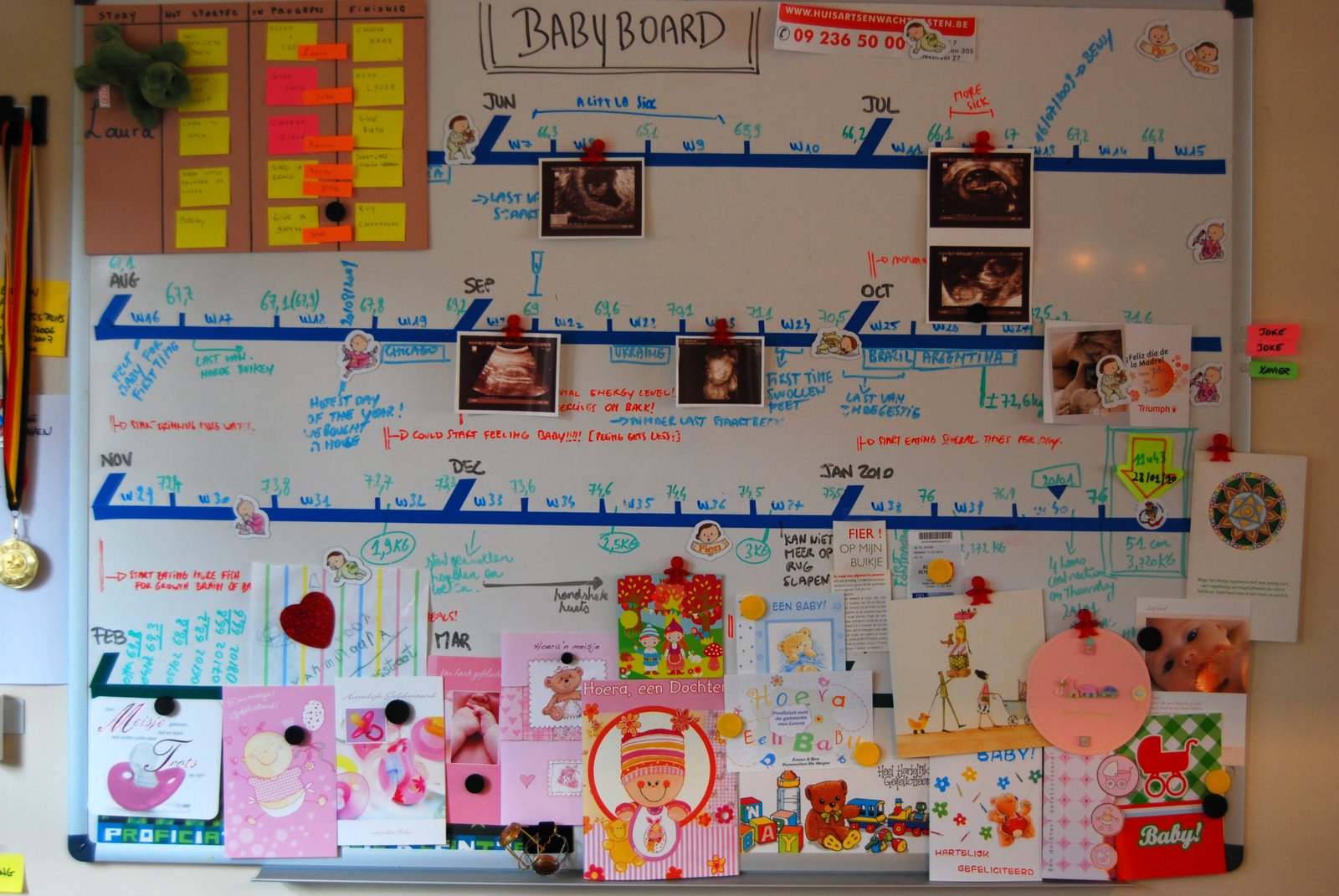
The timeline represents the 9 months of pregnancy (blue lines) and the first 3 months of Laura’s life (green line). We didn’t know if we would need the green line, but we had space left over so we put it in anyways.

Baby board construction

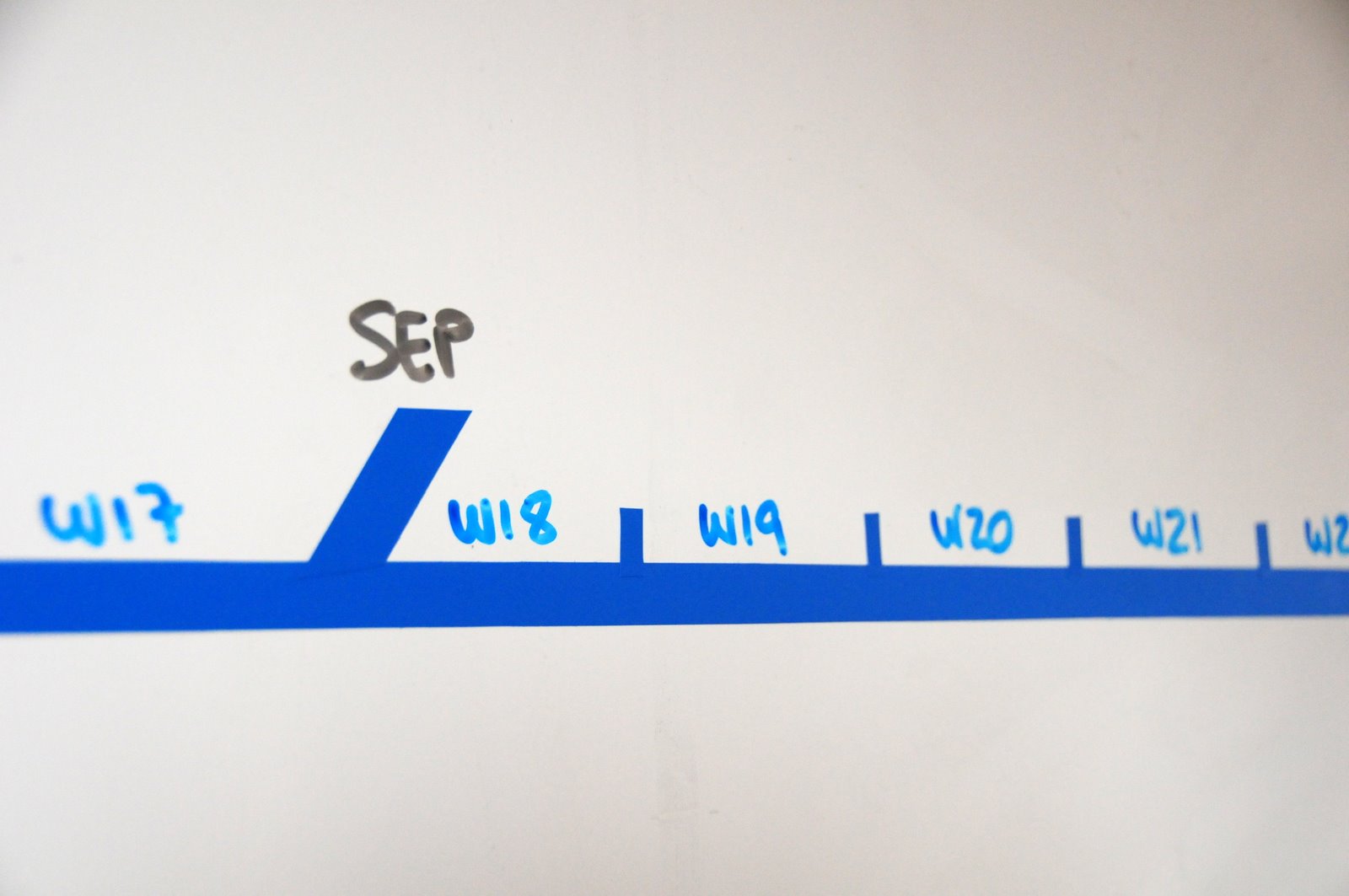
We wanted to visualize calendar months and pregnancy weeks at the same time, because certain tasks or events are commonly associated with the week number, while months gave us the big picture.

Baby board construction detail

A detail of months and weeks. What you see in blue is all electrical tape.

Baby board construction detail

We got these cute clip magnets at XP Days Benelux; they would come in handy.

Running the project

Baby board Jun 2

This is how the board looked when we got started, in week 5 (June 2009). The board was populated with all tasks and information we had at the moment: our initial planning. We adorned the board with some cute baby-themed magnets we got from cousin Flo. Tufte would not like them, they were pure decoration.

Baby board Aug 17th

Once the project got underway, the following activities were typical:

  • We would remove post-its (tasks) as they got done.
  • We would add new tasks as new requirements came up.
  • Sometimes big tasks got broken up into smaller ones, or one task being completed triggered more to be created down the line.
  • We would re-prioritize tasks if they were not done by the original planned date.
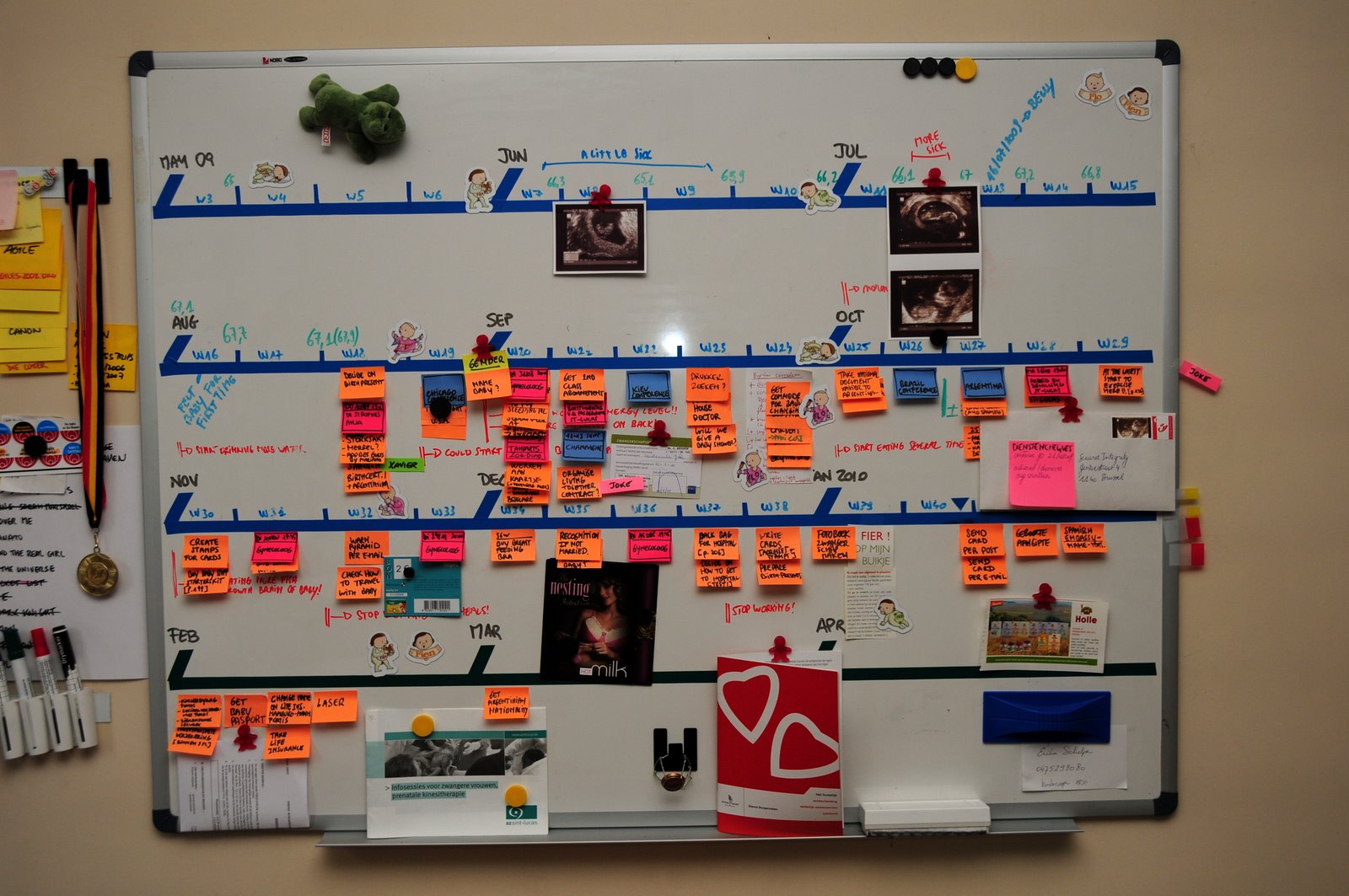
  • Reports generated by the project, for example the ultrasounds (ecografías), were placed on the timeline.
  • Any other relevant information was either stuck on the board with magnets or written with whiteboard marker.

Baby board Sep 6th

We would regularly make small improvements to the board. For example we added a green “you are here” arrow. Some people asked us what the board was about, so we added the title “Baby Board”.

Baby board

The board was both an effective planning tool for the future, and a living recount of the past.

Baby board Dec 27th

You can see that as the green arrow moves along, the post-its disappear with it. The fact that post-its were not accumulating further down the line meant we were proceeding at a good pace. If we would notice a cluster of orange tasks accumulating, we would know we were behind schedule and would react by putting in more time, or dropping requirements.

Baby board Jan 15th

Finally the date was approaching! We knew the project would be a success because almost all our tasks were done.

Going live

Xavier daddy

The release to production took 11 hours, and was quite tough for one of the team members (guess which one)… but eventually it was successful and the project went -very literally- live. Welcome, Laura!

Baby board

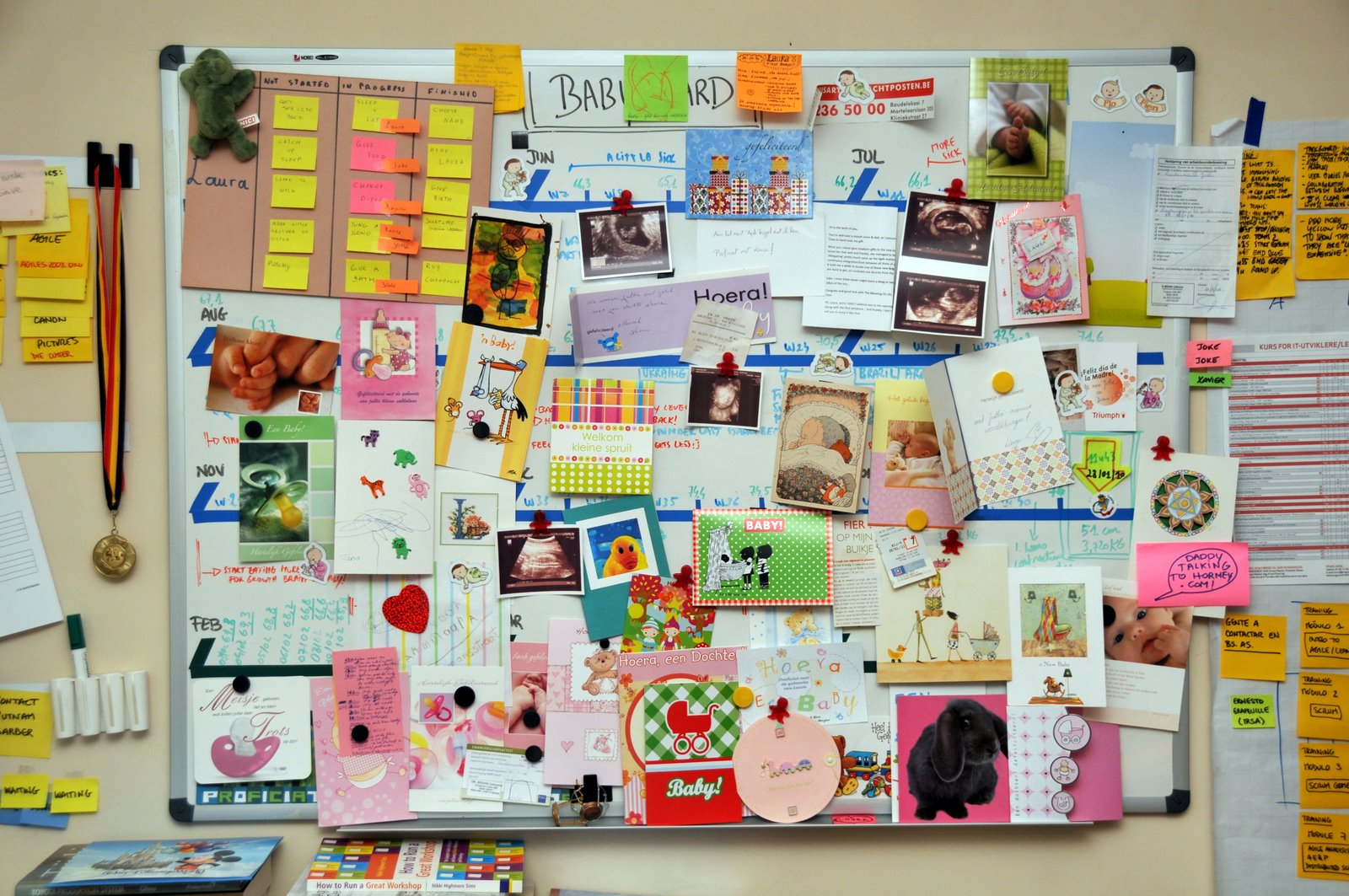
In Belgium, people exchange cards when a baby is born. As cards started to arrive, we put them on the taskboard, turning it into a “celebration” board.

xqa_7219-1

At the end, we almost didn’t have enough room! One of the best cards we got was a mini-taskboard baby card from one of the teams we coached. Thanks guys!

Laura Quesada Allue

To close, a big smile from Laurita dedicated to all the friends in the international Agile community. Isn’t she cute?

35 comments

Olaf Lewitz's avatar
Olaf Lewitz on September 18, 2010 at 2:59 pm

Amazing!
Thanks for sharing this…
Visual management at its best;-)
Take care
Olaf

Mike Cohn's avatar
Mike Cohn on September 18, 2010 at 3:55 pm

Great story, Xavier. And, yes, Laura is very cute.

Vicenç's avatar
Vicenç on September 18, 2010 at 4:41 pm

Congratulations! She is really cute.

Don’t you have a video with the evolution of the task board?

Michael James's avatar
Michael James on September 18, 2010 at 5:38 pm

“This project was going live no matter what.”

–mj (also a new father)

Reza Farhang's avatar
Reza Farhang on September 18, 2010 at 5:42 pm

Job well done.
Very cute baby.

Diego's avatar
Diego on September 18, 2010 at 5:44 pm

..y pensar que para Michelle (12 anios atras) usamos waterfall… ;)

felicitaciones!

/Diego

John Stoneham's avatar
John Stoneham on September 18, 2010 at 5:52 pm

As a recent father myself – this is beautiful.

Sergio Leal's avatar
Sergio Leal on September 18, 2010 at 6:58 pm

My gosh!! I came to this link through my boss’ twitter and I must say it is really fantastic!! ;-)

Well done and such a lovely baby girl, BTW :-)

Denis Miller's avatar
Denis Miller on September 18, 2010 at 7:02 pm

Delivered! ;)

Fernando's avatar
Fernando on September 18, 2010 at 8:37 pm

Felicitaciones ! Una excelente planificación y el resultado no podría haber sido más perfecto y hermoso. Congratulations papá.

Angel Medinilla's avatar
Angel Medinilla on September 18, 2010 at 9:28 pm

Absolutely brilliant post… But just a fraction of bright than those on your daughter’s eyes… Congratulations! :_))

Harald's avatar
Harald on September 18, 2010 at 11:07 pm

Great job with or without methodology :-)

Gustavo's avatar
Gustavo on September 19, 2010 at 5:27 am

Amazing Xavier!!! amazing, Did I say this was amazing? :-)

Angel Agueda's avatar
Angel Agueda on September 19, 2010 at 5:34 am

Congratulations! Great project, great board and excellent result!

Martín Alaimo's avatar
Martín Alaimo on September 20, 2010 at 4:25 am

Hey X, great story and baby. :P
Congratulations for you and your wife, and thanks for sharing this.
Martin.

Patty's avatar
Patty on September 21, 2010 at 10:46 am

THIS is hands down the BEST PersonalKanban board I have ever seen!! I am a very visual person and this is just fantastic!!

Congratulations and thank you so much for sharing!

Stacia Viscardi's avatar
Stacia Viscardi on September 21, 2010 at 2:24 pm

Xavier! Congratulations on a beautiful baby girl!! As my husband and I are currently ‘release planning’ I’ll keep your taskboard in mind once we know we’ll be going live. :-) it’s been so much fun watching you do all these cool things!!! All the best to you and your beautiful family!!!

Aaron's avatar
Aaron on September 22, 2010 at 2:41 am

Congratulations, Xavier!

Pingback from schlossBlog » #399 PM-Reader on September 22, 2010 at 8:57 pm

Pablo RF's avatar
Pablo RF on September 28, 2010 at 2:07 am

Congratulations Xavier and Joke. It’s a shame not have known this earlier in order to tell my sister about it. My nephew born (or “went live”) yesterday. :D (cute daughter, by the way)
Congratulations again!

Pablo Tortorella's avatar
Pablo Tortorella on September 29, 2010 at 4:24 am

Felicitaciones, Xavier :)
por la idea, por la bebé y por la forma de contárnoslo…
nos vemos la semana que viene!
saludos,
Pablo

Xavier Quesada Allue's avatar
Xavier Quesada Allue on September 29, 2010 at 9:22 am

Gracias Torto. Lamentablemente no voy a poder ir a la conferencia este año, por el bebé. Nos vemos la proxima!

Tomek's avatar
Tomek on September 30, 2010 at 7:55 am

Cute. Both story and Laura. Of course Laura much more :)

Adrian Eidelman's avatar
Adrian Eidelman on September 30, 2010 at 5:17 pm

Excelente X!!! Es una nena hermosa, felicitaciones por Laura y por compartir la historia.

Un abrazo.-

Hamer's avatar
Hamer on January 21, 2011 at 5:16 pm

A eso es lo que yo llamo tener todo bajo control…!

Carlton's avatar
Carlton on June 3, 2011 at 2:06 am

Que preciosa! Escuché de tu blog de Rowan Bunning hoy.

Adrián Anacleto's avatar
Adrián Anacleto on August 12, 2011 at 5:08 pm

Xavier! felicitaciones por la niña. Preciosa ella. Me imagino que se te caerán las babas no?

un abrazo!

carlos's avatar
carlos on September 21, 2011 at 10:08 pm

LLego a tu blog desde un curso de Kanban. Estoy muerto de risa. Y sin palabras. Si señor!!!!

Felicidades, por tu cria y porque ahora si que tienes un proyecto largo por delante.

Enhorabuena

Aniello Petillo's avatar
Aniello Petillo on September 25, 2011 at 9:53 am

GREAT!!
:))

mrugen's avatar
mrugen on August 4, 2012 at 9:01 pm

Simply great and innovative use of the Agile planning method.!!!

jayesh's avatar
jayesh on February 15, 2013 at 8:27 am

wow. well done. she is superb cute

Pingback from Kanban im Weihnachtsgeschäft | setzweinblog on February 21, 2013 at 11:31 am

Pingback from Revue de Presse Xebia | Blog Xebia France on May 28, 2013 at 12:53 pm

Status tags revisited

Status tags are my preferred approach to visually attaching state metadata to work items.

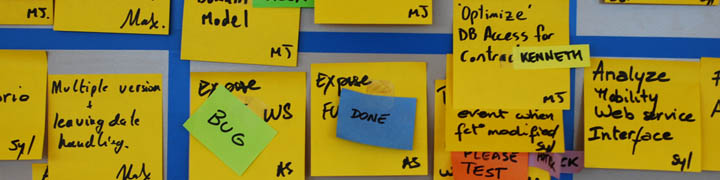
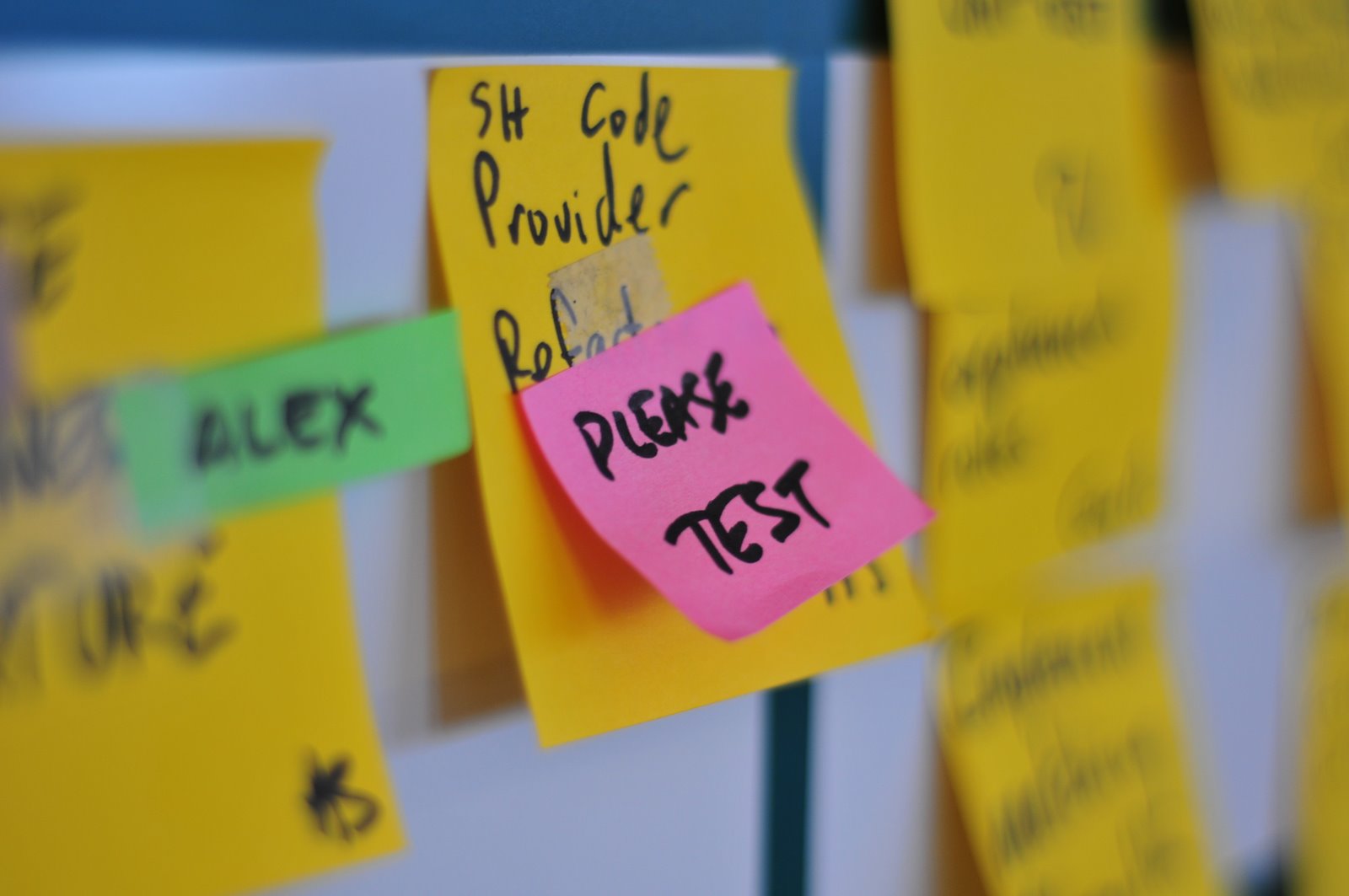
In plain english, what this means is that if you have a task, represented for example by a standard size Post-it, you would add a physical tag, represented by a smaller colored Post-it, to indicate it has some particular status, such as “Blocked” or “Delegated” or “Bug” or “Please Test”. This creates visibility and awareness and enables the right people to react to that new status fast.

Please Test status tag

A visual alternative to tagging is creating special columns or specially designated areas in your taskboard that fulfill the same purpose.

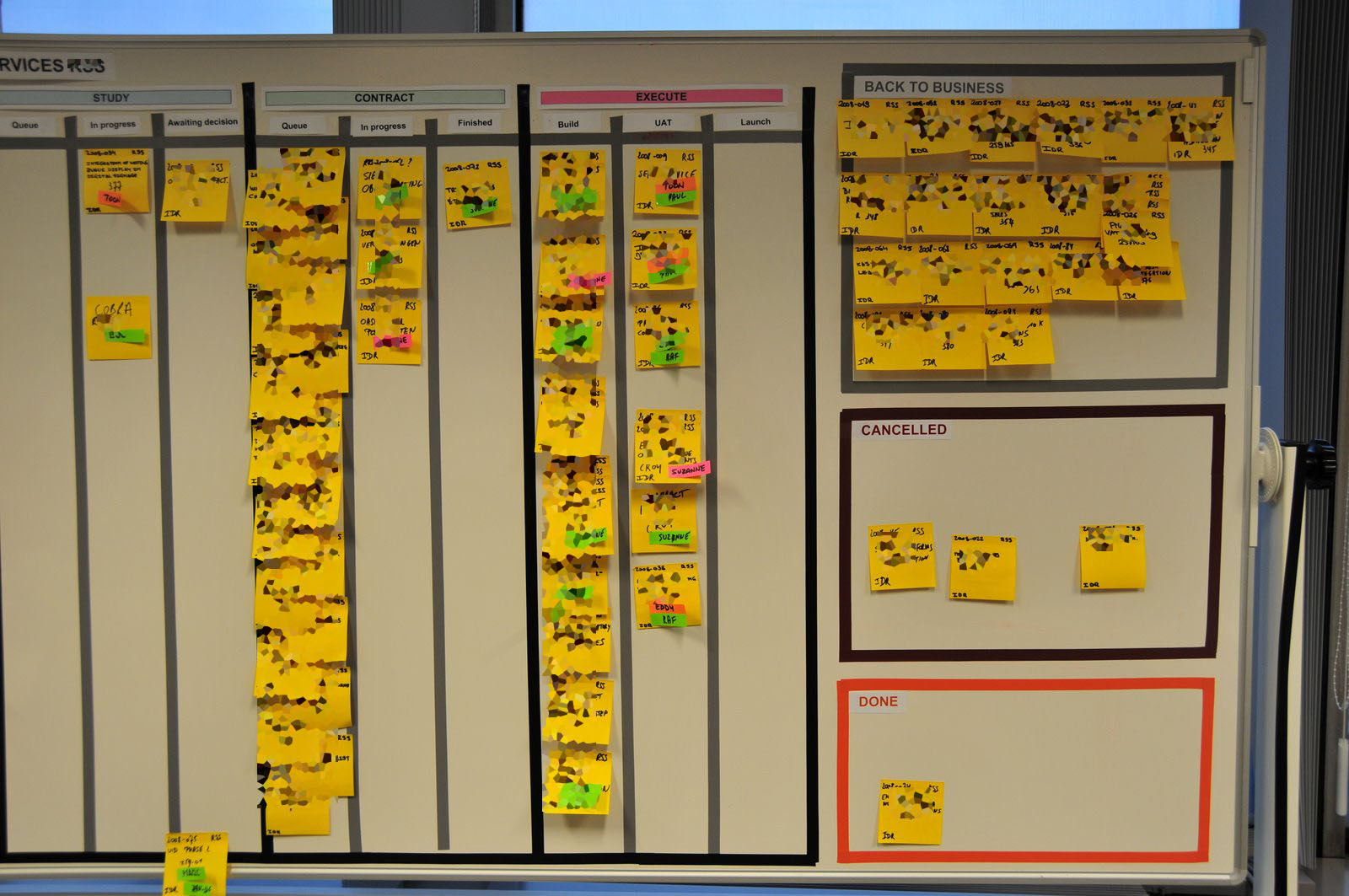
While this is valid, and many people do it, I much prefer tagging to that approach. Taskboard real estate is expensive. If you start creating special areas or columns for each status a piece of work can have, you might quickly fill your Taskboard with empty zones. Furthermore, changing the structure of your taskboard is cumbersome. This might limit the number of status areas you create. Too many areas and columns make people think about waterfall processes, even if they are not meant to be used. For example, look at the picture of the following kanban board:

Taskboard with too many areas

While it looks good because it was done with care, there is much wasted space in those columns and boxes. And let’s take a closer look at those separate areas at the right. In this example we see a “Back to business” box. What if this status is very temporary? In that case, you are probably better off tagging it. Creating the box has allowed work to accumulate there, unchecked. Are all those post-its supposed to be going back to the main board? Someone is going to be spending some serious time moving post-its back and forth…

Another example: let’s assume a task that involves coding but is functionally testeable is being developed. During the same day the following happens:

  • A developer starts and finishes it
  • Someone else tests it and finds a bug
  • The original developer fixes the bug
  • The task is re-tested and this time declared “done”.

This is a typical scenario in Agile teams. If you have separate columns for “In development”, “To validate”, “Defect found”, you are going to spend the whole day moving the task around columns. People might lose track of where the task went (well, not really – but it does require more effort to locate it). I prefer the much simpler solution of leaving the task in place and rotating status tags on top of it. Another advantage: if it would go through this code-test-bug-fix cycle many times, you can place status tags on top of others, creating a “traceability” effect. With columns, you can’t do that.

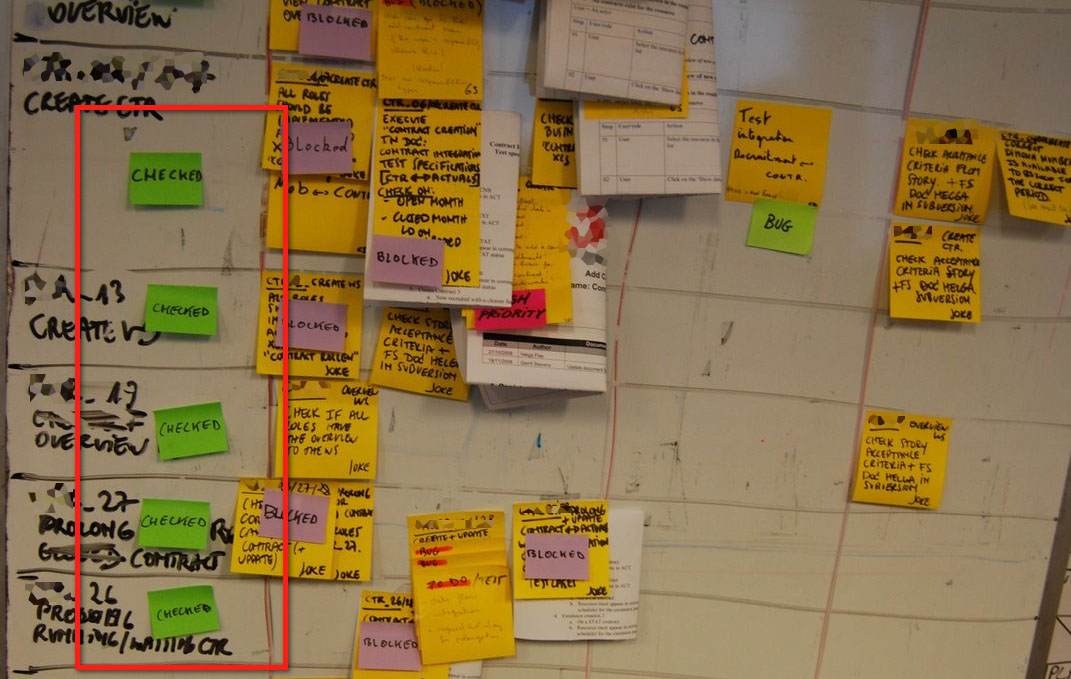
Checked status tag

Tagging is very flexible. There is no limit to the number of tags you can create. Some teams create temporary tags for special occasions. In the example above, the tag “checked” was created specifically for the occasion. This can be done quickly and easily by the team by their own initiative. Almost no work is required and suddenly your visual management process includes a new status.

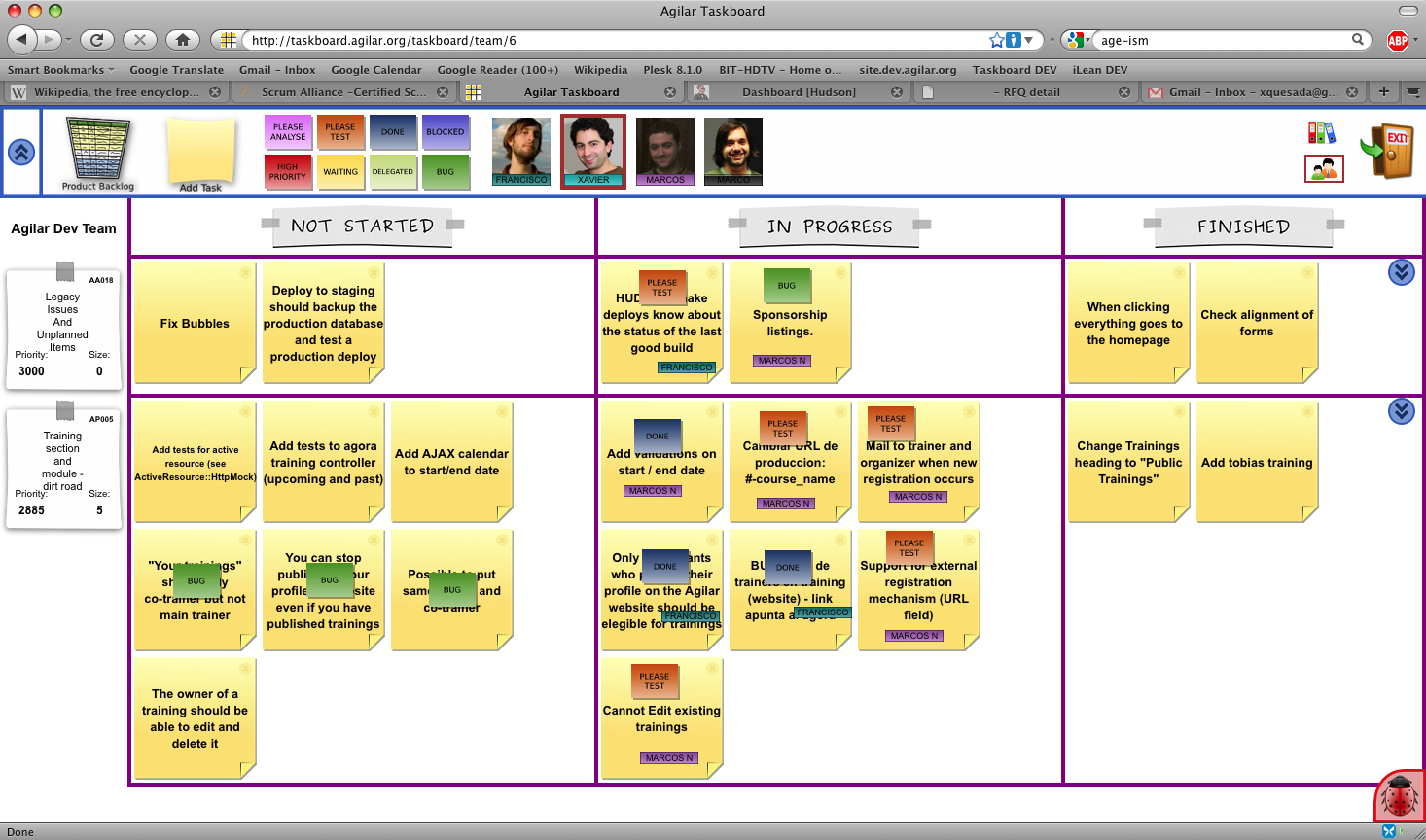
I think the elegance, flexibility and visual appeal of using colored tags for indicating task status cannot be denied. Even in a software tool, it looks good, as the example below shows.

Agilar Taskboard Screenshot

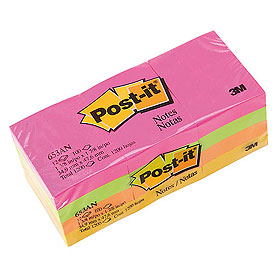
For physical taskboards, my preferred tags are Post-it 653 which come in many different colors. They are the 1.5″x 2″ small ones.

Important detail: if you just stick this small post-it onto a bigger one, it will not stick, it will fall off almost instantly. That’s why I use a small piece of Scotch Magic tape with each status tag. See the first picture in this post for a detail.

Tags: agile, elements, Kanban, Scrum, Task boards, Visual management

6 comments

Joshua Lewis's avatar
Joshua Lewis on January 19, 2010 at 1:24 pm

I agree that ‘tagging’ works better than placing a card in a specific position.
I believe that tags are a good way of tracking ‘orthogonal’ data or ‘metadata’ of a card.

One way I plan to use tags is to track reword on a card. For example to track when a feature/card is returned to development from the QA team (we have function-based silos in our environment as opposed to delivery-based cross-functional teams). This way, we can track how often cards are bouncing back and forth between QA and development.

My reasoning for this is I don’t want to move the card to a different area, because the activity (development) is the same, I don’t want to create a new card because its the same item of work, but I still want to track the bouncing.

I suspect that there is an issue with ‘done is done’ and upstream specifications, and want to make it very visible that work is bouncing back and forth (one of the goals of Kanban Boards is visibility).

Typically, my cards are bigger than a post-it. On each post-it used to signify rework, I would include a short description of the ‘bug’ or reason for rework.

Pawel Brodzinski and I discussed some of this in the comments to his blog post: http://blog.brodzinski.com/2010/01/kanban-story-throwing-sticky-notes-out.html

Pawel Brodzinski's avatar
Pawel Brodzinski on January 19, 2010 at 2:18 pm

To be honest I prefer simple solutions over complex ones. Tagging board items is fine as long as you don’t need to retag every sticky note few times a day.

I understand “blocked” tag shines red and tells everyone that something is screwed with specific MMF, but should I put a tag every time I find a bug? And retag sticky note every time a bug is fixed?

Actually I prefer to keep Kanban board on a bit higher level. To check which bugs aren’t fixed we use bug tracker. To call a blocker we use our mouths: “hey, can’t go further with test on a feature X, please fix it ASAP.” And a columns we use are general enough that we don’t need to push cards back and forth between them as folks find bugs and fix them.

We use tagging to show who works on what, but adding small stickies supported with Scotch tape would be overkill. I prefer color magnets we put on our cards since they’re easier to use. Each team member has their own color so everyone instantly see who works on what. As a side effect magnets prevent cards from falling off.

Andrew's avatar
Andrew on February 10, 2010 at 11:09 pm

Instead of tagging I prefer assigning the task to a person who has to do the next piece of work within the task and adding a comment if necessary.
In work I use online board http://kanbantool.com

Xavier Quesada Allue's avatar
Xavier Quesada Allue on February 11, 2010 at 7:58 pm

I prefer to promote a culture where people are cross functional and not assigned work by a manager or team lead. In that type of team there is no way of knowing who will work on the task next. Besides, for some status tags that doesn’t even make sense…

havuz's avatar
havuz on July 23, 2010 at 10:35 am

I believe that tags are a good way of tracking ‘orthogonal’ data or ‘metadata’ of a card.

Pingback from Resources for value stream mapping « kanban.la on July 1, 2011 at 9:28 pm

Build a taskboard in 10 steps

In this tutorial I will explain how to build a physical taskboard out of electrical tape step by step, for those of you who -like me- were not born with a gift for bricolage. I admit up front to this post not being my most intellectual piece of work ever, but I’m hopeful more than one of you out there will find it at least marginally useful.

I will demonstrate using a 120 x 90 cm whiteboard, the smallest format that will support a small team board. Magnetic whiteboards make great task boards because the surface is so versatile: you can write on it, you can stick magnets, post-its stick and unstick very cleanly, so does Scotch Magic tape, and -most important for this case- so does electrical tape, which is what we will be using to make the lines. That means that if you make a mistake, you can just unstick and re-stick the tape, though it will never be as easy as the first time around. The downside, of course, is that they are expensive and/or not always available for hijacking in your office. That’s why I advocate building boards wherever you can: I have built boards on the back of closets, directly on walls, and even on windows (looks cool at first, but later it’s very distracting – your attention always ends up going to what’s outside).

What you will need:

  • 1 ruler
  • 1 roll of electrical tape
  • 1 whiteboard marker
  • 1 pair of scissors

Note: if you don’t have a whiteboard, electrical tape might ruin your surface (for example it might peel off low quality wall paint). A good alternative is thin blue painter’s masking tape.

Step 1: This is how our whiteboard looks before starting. If you did not buy a new board, make sure it is clean of any old whiteboard marker ink, old pieces of scotch tape, etc.
A clean whiteboard

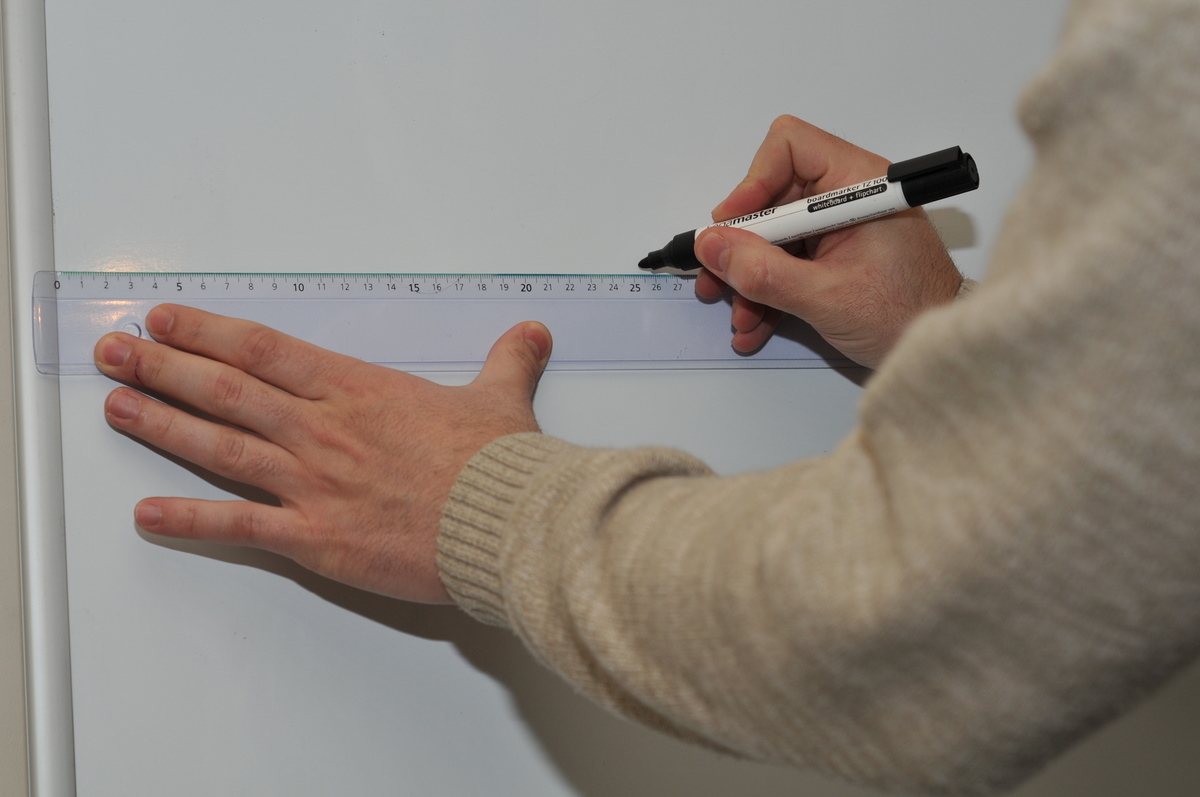
Step 2: Make two small marks at 25 cm from the left side of the board, one should be around 5 cm from the top, the other almost at the bottom.
Marking at 25cm

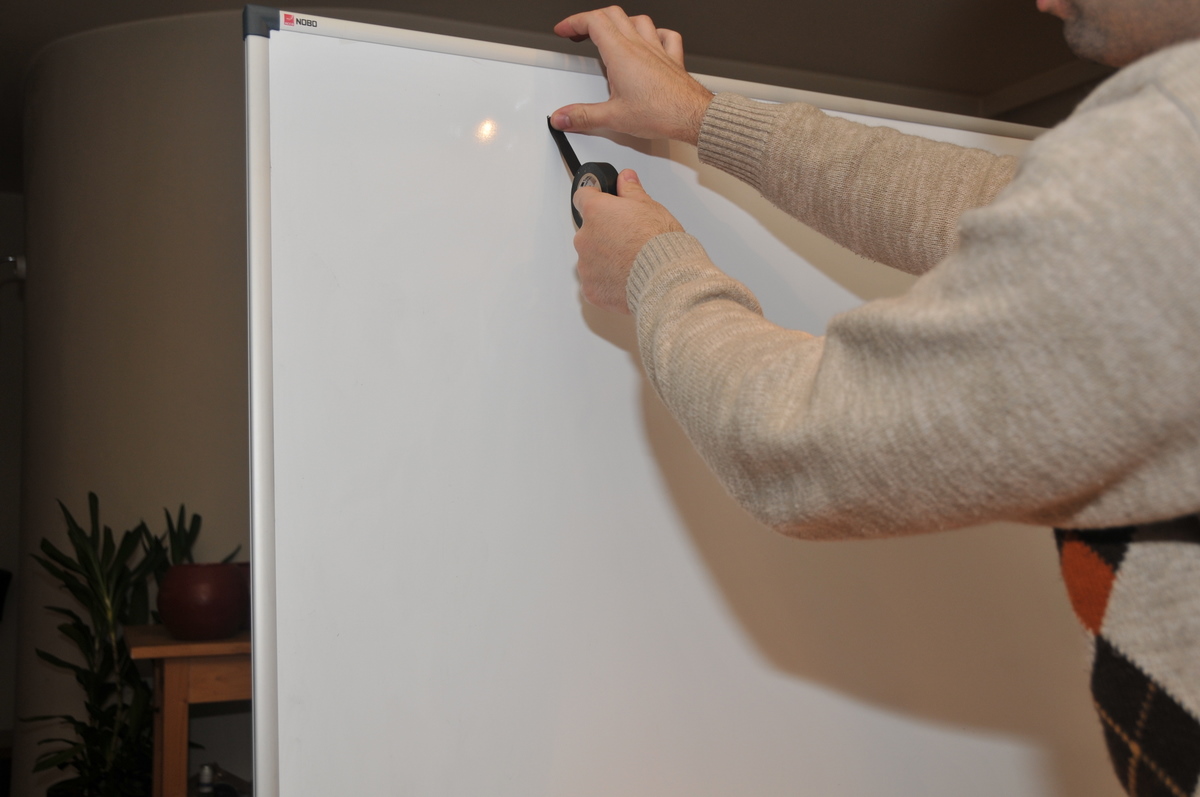
Step 3: Press the tip of the tape with your thumb on the top mark.
Press down tape with thumb

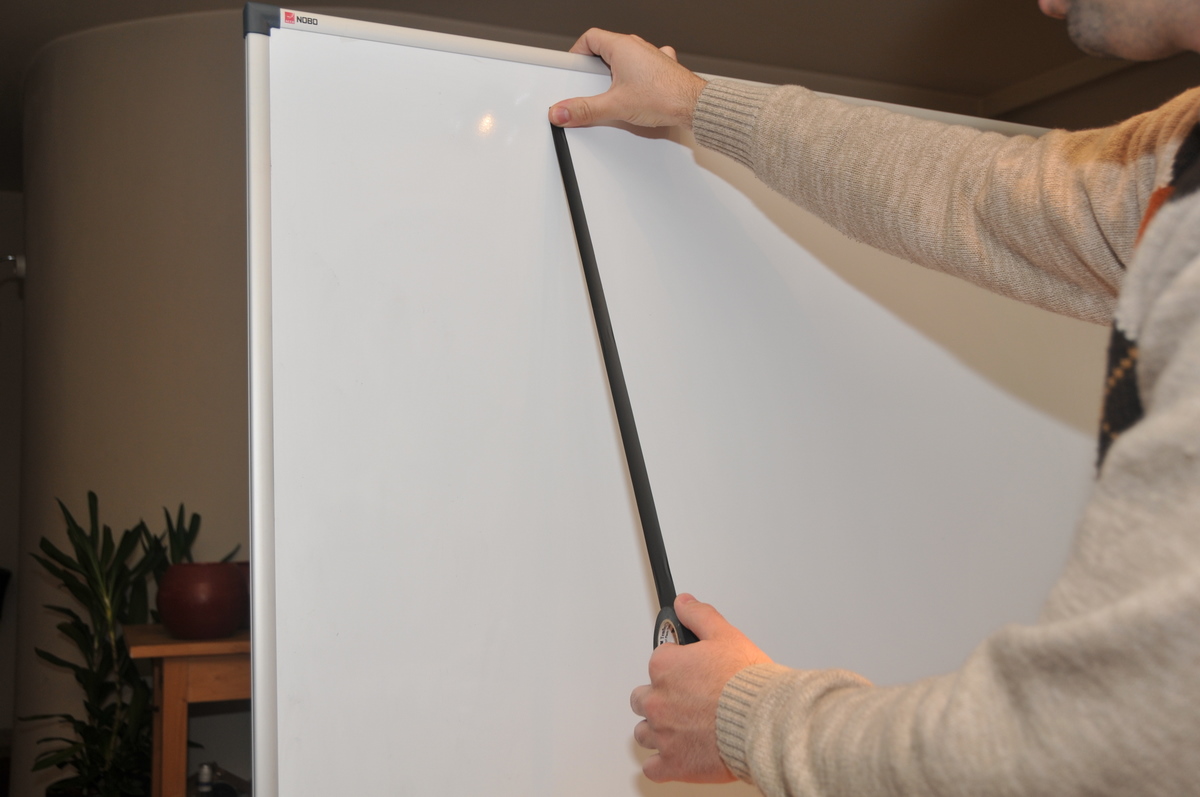
Step 4: Carefully extend the tape out and downwards, without touching the board, making sure you do not pull too hard on the tape. Electrical tape is elastic, and if you pull, you will stretch it and stick it in a stretched state. Later on it will contract to its original length, unsticking and curling upwards, ruining all your great effort. (It took me several cases of shouting “Who sabotaged my taskboard!” in vain to figure this out)
Strech tape 1

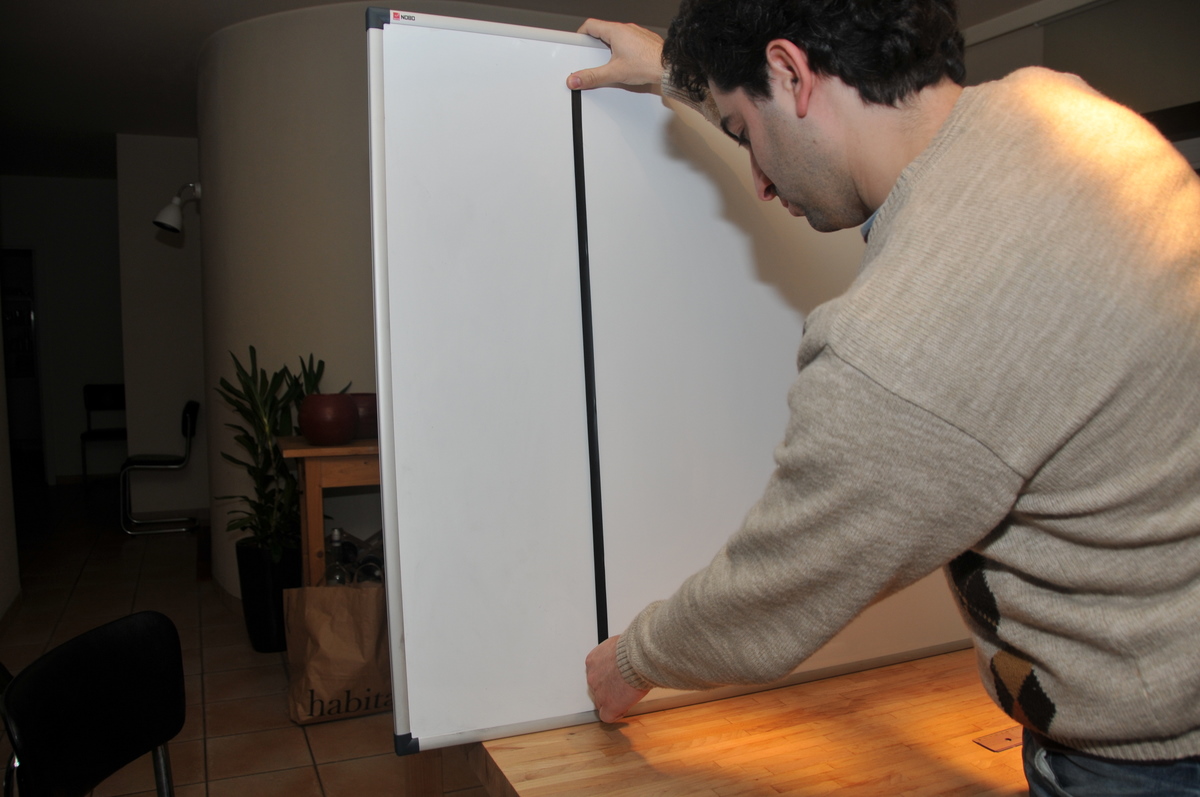
Step 5: With the tape still only touching the board at the point pressed by your thumb, carefully bring down the roll of tape onto the bottom point.The full roll should be resting on the bottom dot. The tape will now be touching the board but only lightly.
Press down tape at lower mark

Step 6: Carefully pass your thumb upwards over the entire tape, which should stick cleanly and nicely to the board.
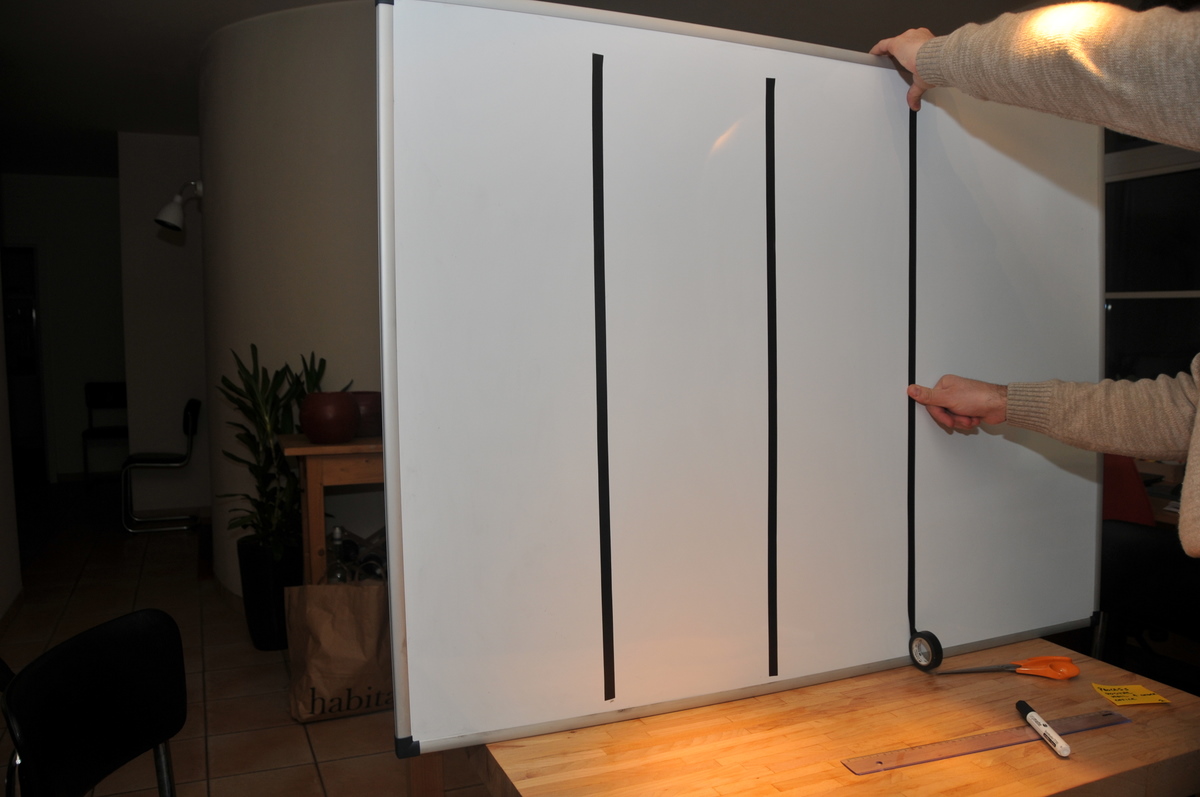
Press tape with thumb

Step 7: Cut the tape at the bottom and voilá, you should have a perfect line.
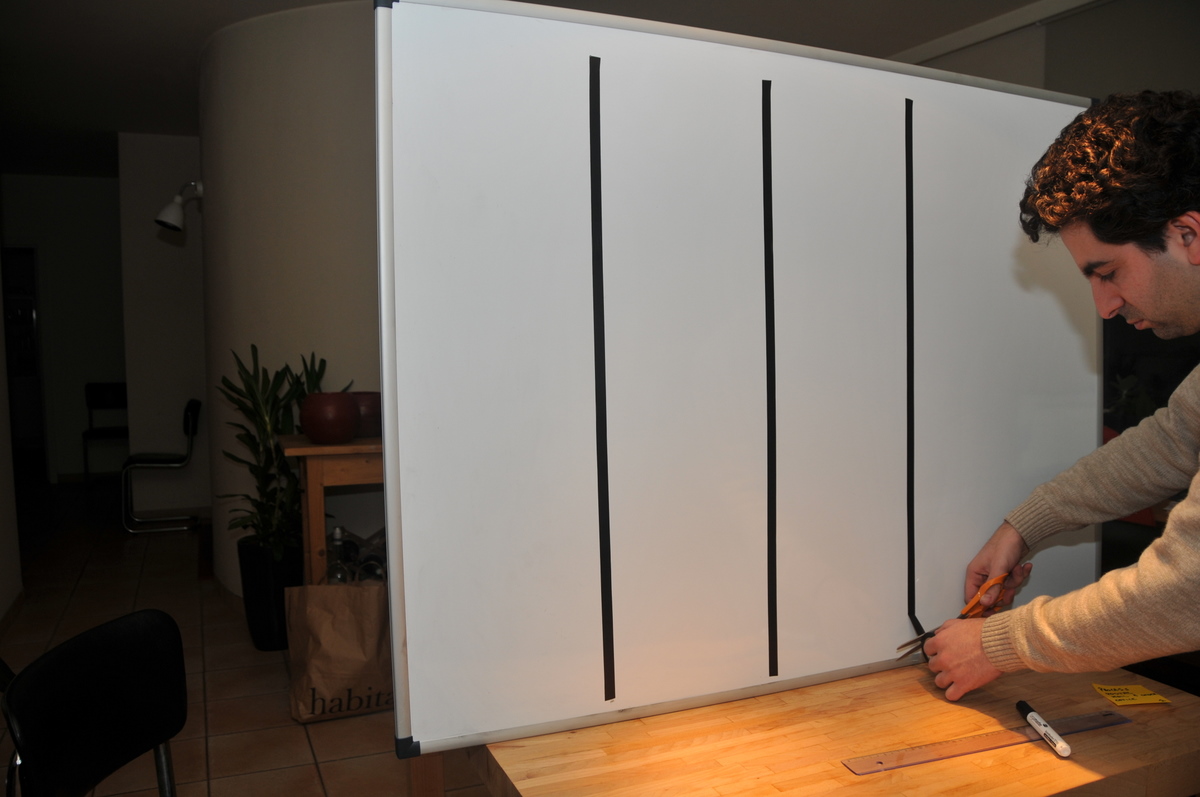
Cut off tape with scissors

Step 8: Repeat 3 more times, each line 25 cm from the one before it. You should now have 4 vertical lines.

Step 9: The horizontal lines should be placed in a similar way. First put the bottom line on the bottom of the board. Then measure upwards at distances of 15 cm. You should be able to place 6 lines.

Step 10: Add any additional sections you wish in a similar fashion. Then add little signs for the columns, status tags, nametags, team pictures, and you are ready to start scrumming!
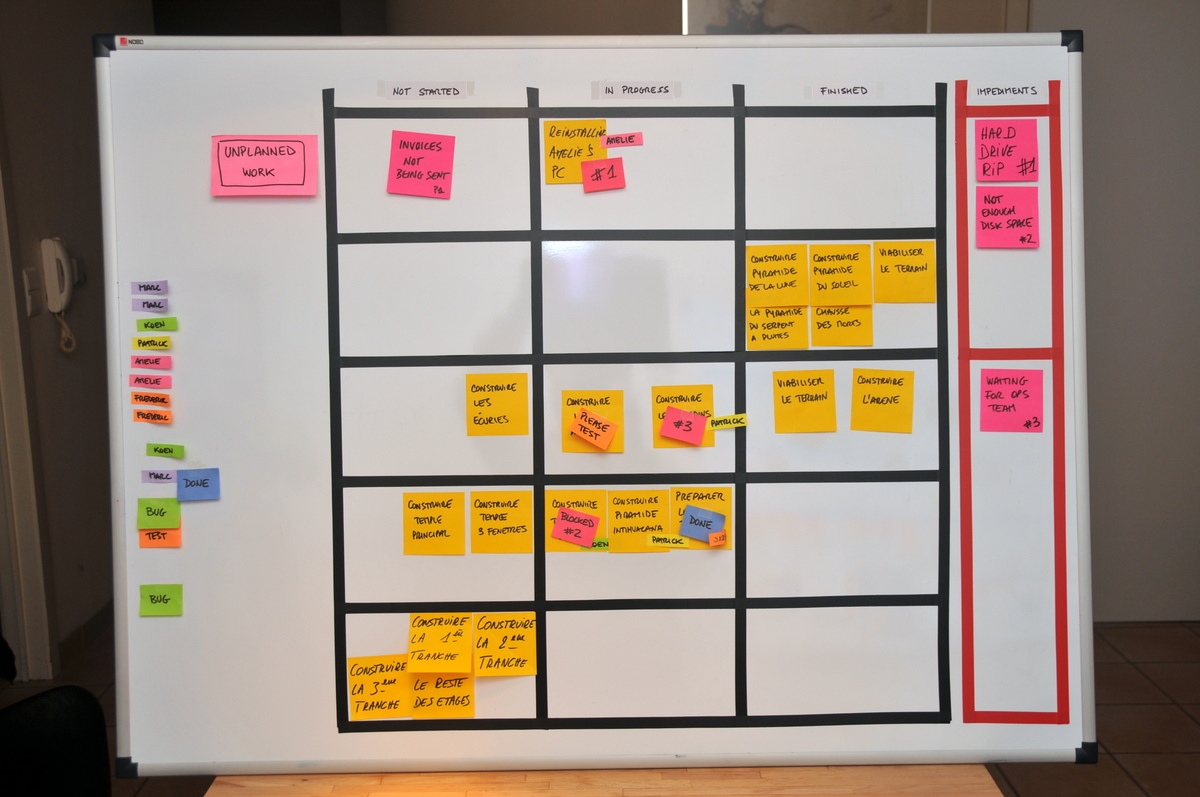
A finished scrum taskboard

For the electrical tape, I recommend 3M Temflex 1500. This tape is cheap and high quality and in Belgium can be purchased at the Brico for less than 1 euro the roll. Look for these packages of 10 rolls if you are going to build multiple boards for different teams: you get all kinds of colors.
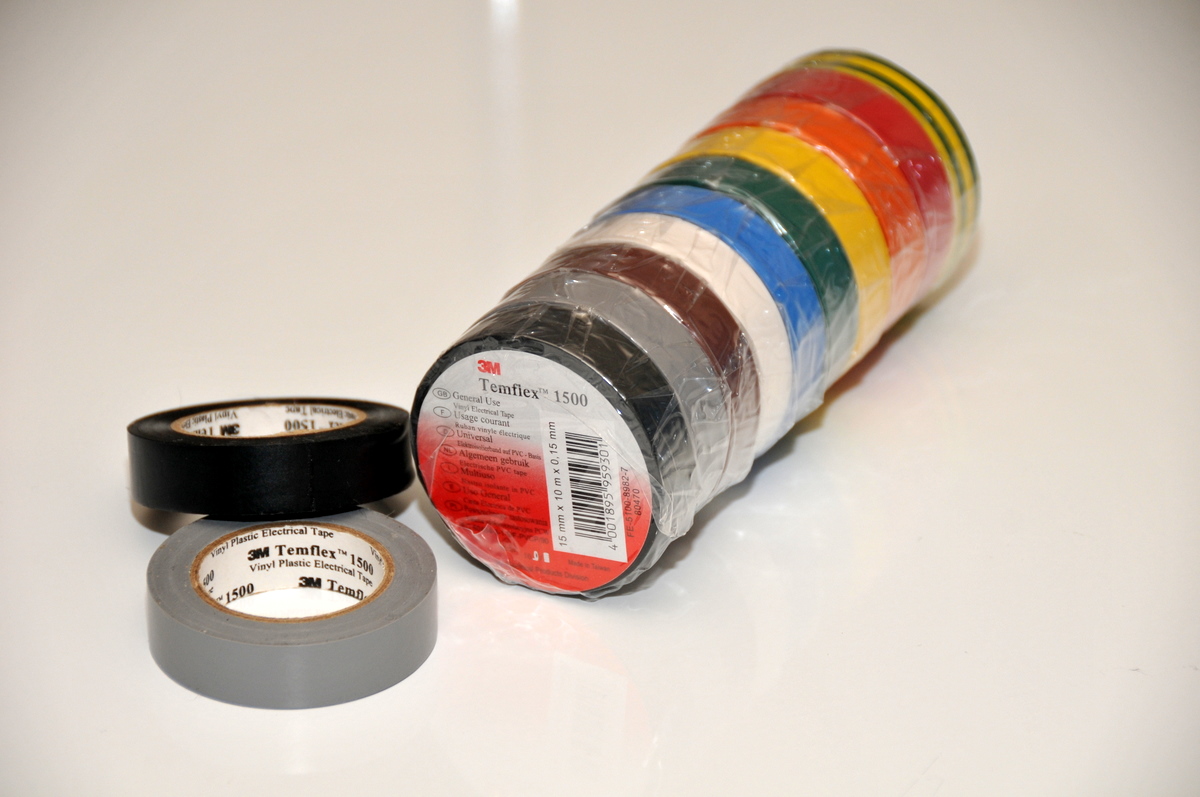
Temflex 1500 electrical tape

Tags: Task boards, taskboard
11 comments

Jose M Beas's avatar
Jose M Beas on December 15, 2009 at 3:50 pm

Superb, Xavier!

BTW, I think we could use foam core (“cartón pluma” in Spanish) for the board as a cheaper alternative to the magnetic whiteboard.

Regards,
JMB

YvesHanoulle's avatar
YvesHanoulle on December 15, 2009 at 4:30 pm

>Electrical tape is elastic, and if you pull, you will stretch it and stick it in a >stretched state. Later on it will contract to its original length, unsticking >and curling upwards, ruining all your great effort.

Yep that is exactly what happened to me when I came back this morning to our team room.

How do you get the tape to have such a clean line?
I never seem to get this right. My lines always have the tendency to be “shaky”. And that does effect on how people take agile serious …

Xavier Quesada Allue's avatar
Xavier Quesada Allue on December 15, 2009 at 4:49 pm

You have to find the right amount of tension to put on the tape when you stick it, so that the tape is not streched. The clean straight line comes easily when you are unrolling a new roll of tape, it’s harder to accomplish if you are reusing an existing strip of tape.

Tim McMahon's avatar
Tim McMahon on December 16, 2009 at 2:49 am

Good to see you back to posting. Nice simple explaination of a task board.

Jef's avatar
Jef on December 17, 2009 at 9:23 am

Very good article, Xavier. Thanks!

Pingback from Il meglio della blogosfera lean #17 — Encob Blog on December 19, 2009 at 8:31 am

Mark Dalgarno's avatar
Mark Dalgarno on January 24, 2010 at 10:50 pm

And don’t forget to check you have enough tape before you start!

I ran out half-way through and we didn’t have any left.

yosi's avatar
yosi on September 8, 2010 at 5:58 pm

I am a lecturer, I want to ask about your opinion about scrum. Although I am a beginner about it, I foresee the benefits of applying scrum is huge. I planned to teach my students about Scrum ( maybe the basics) so they can use the methodology and brings the world of Scrum when they are going to their own carrer world.

Since I see that your articles discussed so much about visual management, do you have any suggestion how to introduce Scrum to the Industrial Engineering Students?

Thanks before

Colin Bowern's avatar
Colin Bowern on November 8, 2010 at 6:01 pm

Have you found a good source for purchasing non-assorted packs of red 3×3 super sticky notes?

Xavier Quesada Allue's avatar
Xavier Quesada Allue on November 8, 2010 at 6:55 pm

Nope. If you find any, please let me know. Thanks! Xavier.

Andy's avatar
Andy on January 13, 2011 at 12:50 am

Instead of tape try using wet-erase marker for the lines. You can still use dry erase for writing comments on the board if needed and use a regular eraser. Your lines will stay until you use some type of liquid cleaner.

Older posts »